FreeTry Mizo free for 14 days
14-day free trial: every core module plus your industry add-ons, pre-loaded with sample data, no credit card needed, invoices ready for UAE e-invoicing. Start free trial →
Home Procurement

Mizo Procure: procurement from request to delivery

Mizo Procure

Sourcing, from the first request to the last delivery

Mizo Procure runs the whole buying cycle for projects: packages out to manufacturers, questions answered, quotes compared like for like, awards signed, and every item followed through manufacturing, inspection and delivery to site. Use it yourself, or let our procurement team run it for you while you follow every stage.

Initiation → Request → Review → Vendors → RFQ → Submittals → Commercial evaluation → Selection → PO / LOA → Advance & security → Manufacturing → Inspection → Delivery → Receiving → Site release → Invoice → Payment → Closure
Running now · hotel fit-out, Dubai

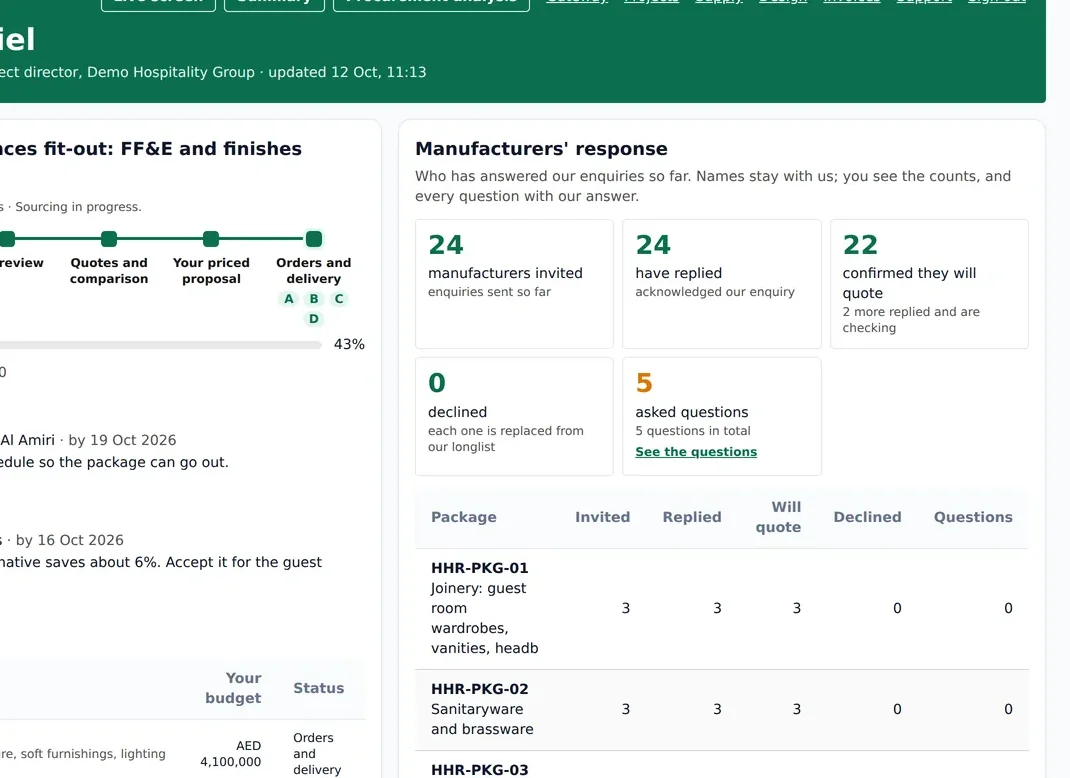
A hotel and serviced-apartments fit-out is being sourced this way today, managed by our procurement team, with the client following each stage in its own portal.

22packages
317bill-of-quantities lines
109manufacturers invited
1 portalfor the client
Live view

The procurement board, as the team sees it
app.mizo.co
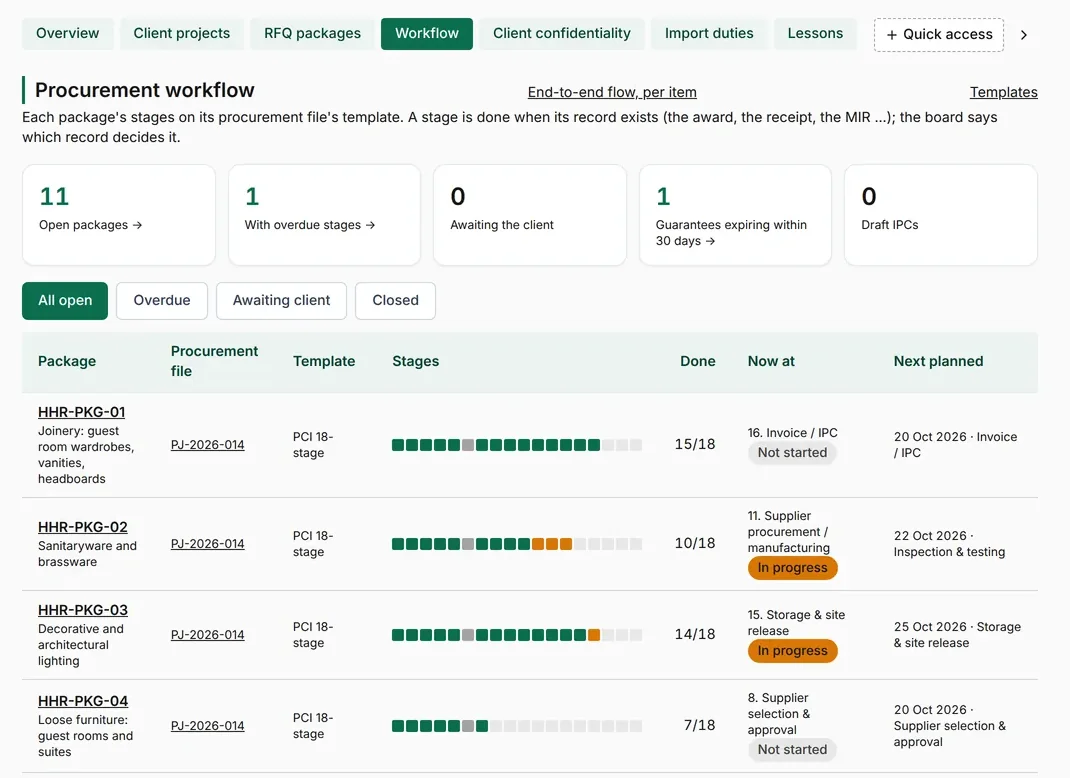
The 18-stage procurement board across packages123
  1. 1Overdue stages are counted and flagged before they cost you.
  2. 2Each bar is one package's 18 stages: green done, amber in progress.
  3. 3Where every package stands now, and what is planned next.
Live screen

Where the project stands, at a glance

app.mizo.co
  1. 1The stage the project is at, and how much has reached site.
  2. 2Every item counted: ordered, in manufacturing, inspected, delivered, late.
  3. 3Supply lot by lot, so the client knows what arrives next.
app.mizo.co
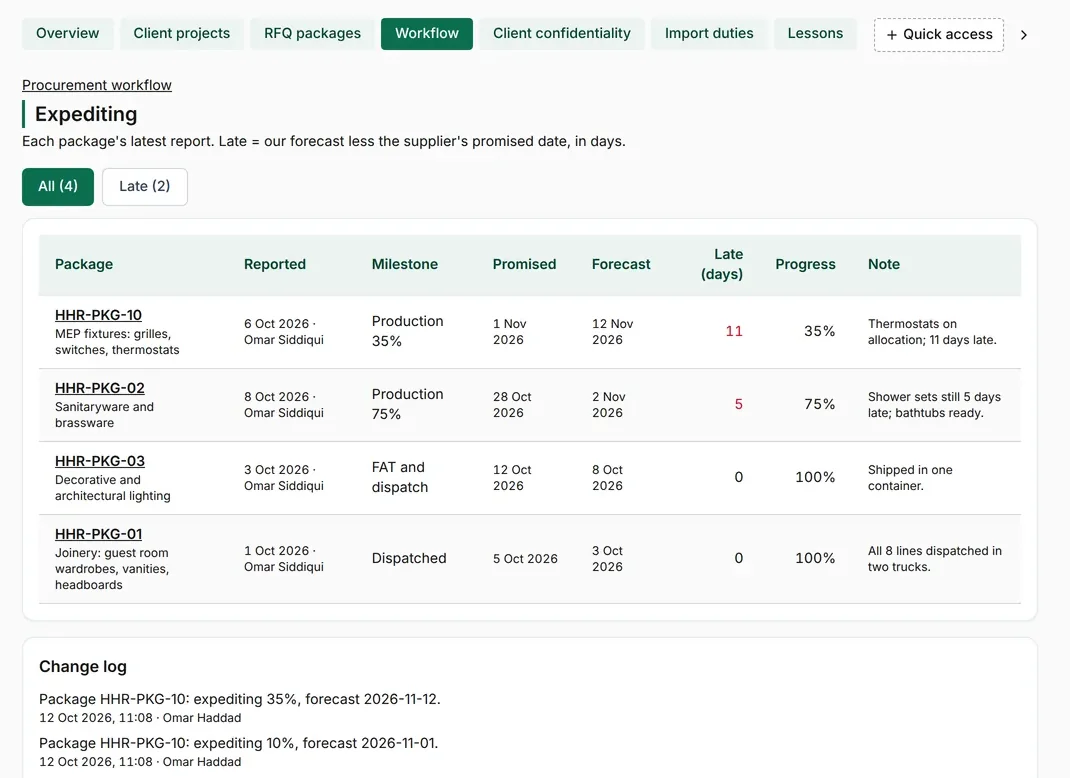
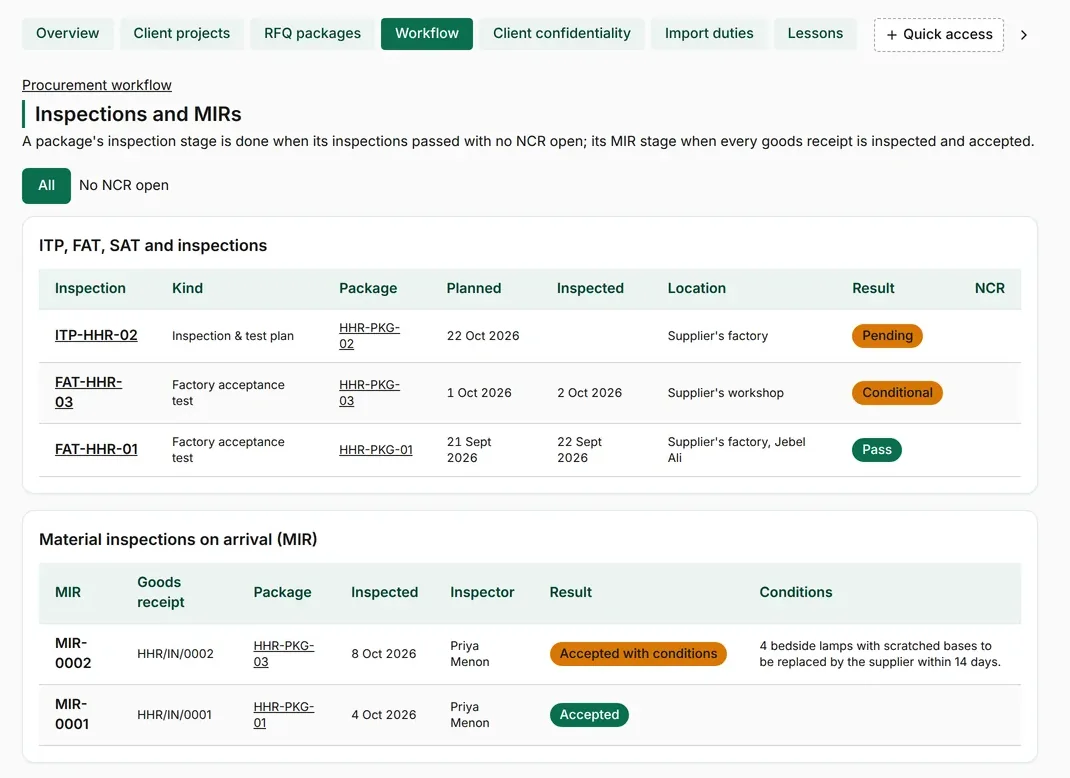
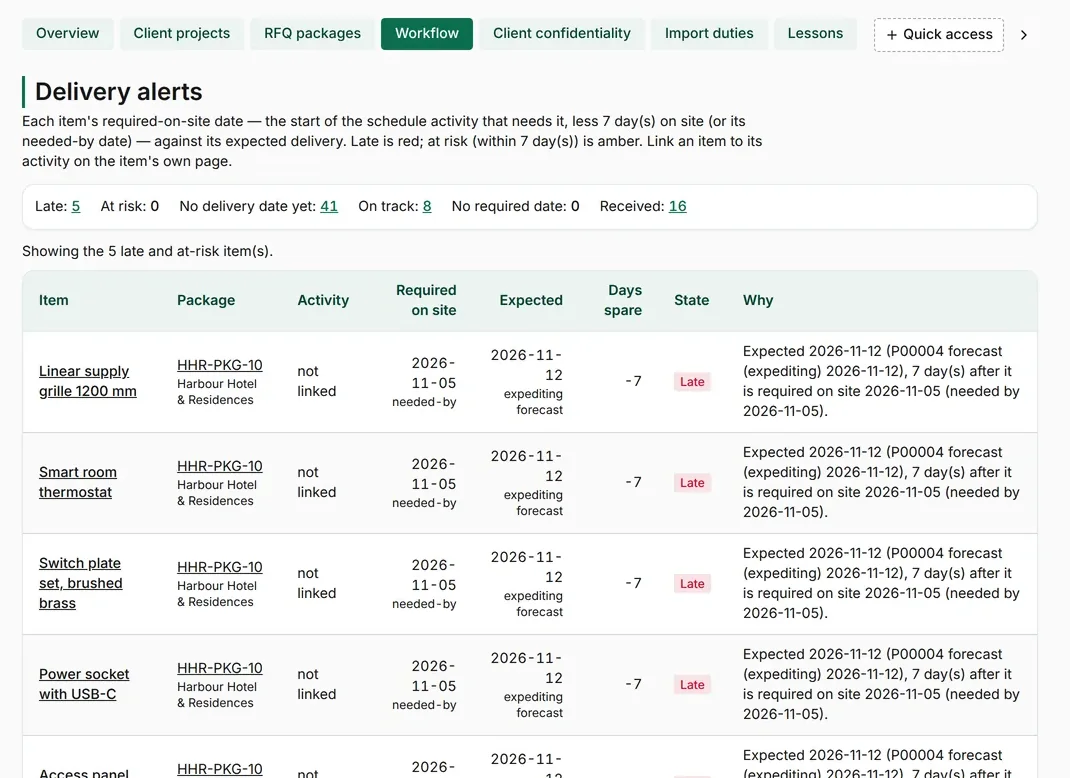
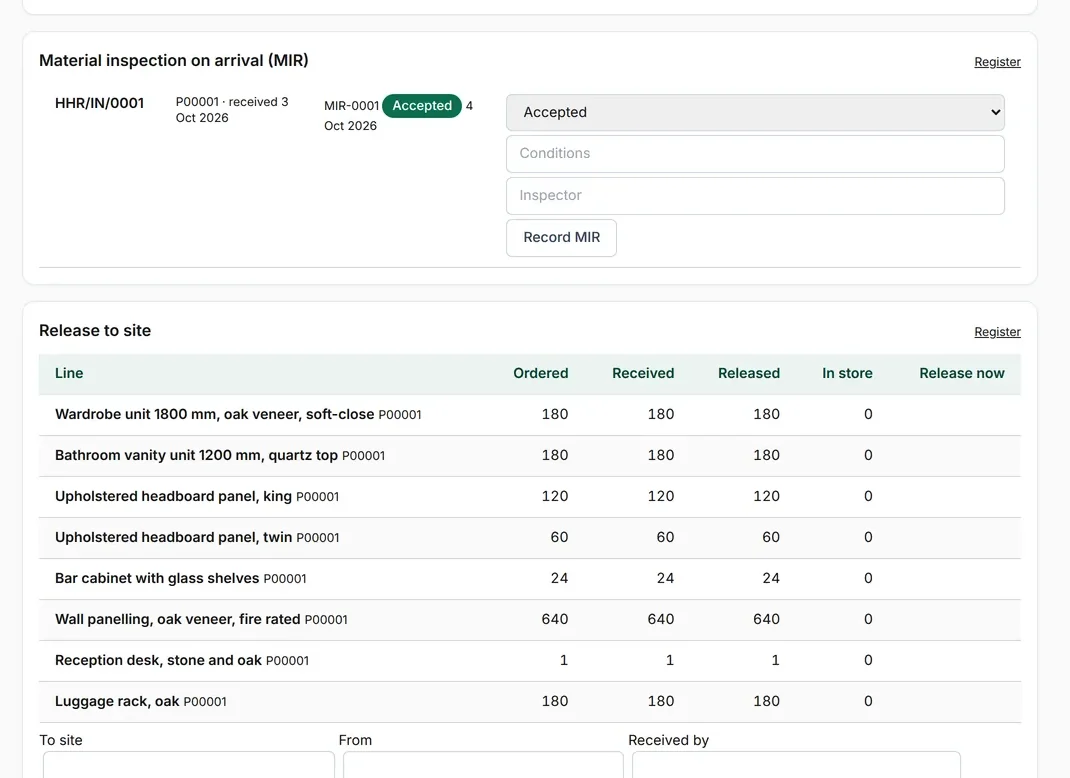
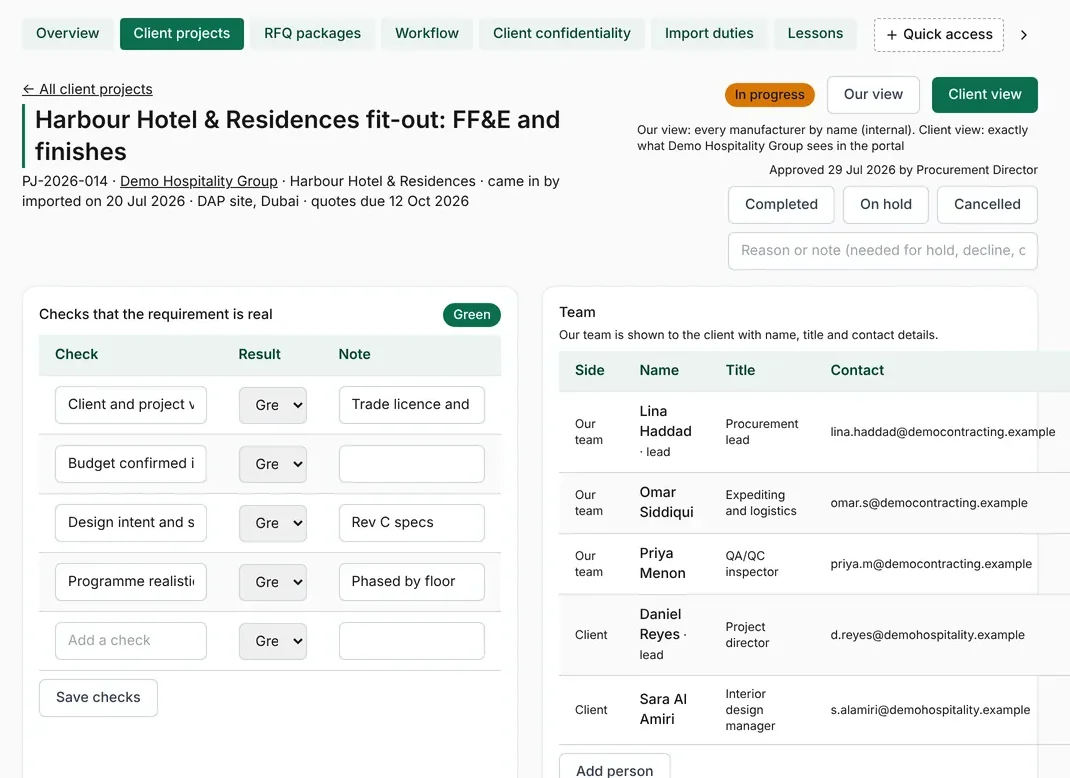
A client procurement project with its requirement checks and approvalRFQ packages with lines, invitations and repliesTechnical questions and client decisionsQuotes compared line by line with lowest and fastest markedLetters of award registerExpediting progress by packageInspection and test register and material inspectionsDelivery alerts for late linesGoods receipt and release to siteThe client's procurement portalProcurement analysis for the client

Start from an approved requirement. The client's requirement with its checks, the team on both sides, and approval before any request for quotation goes out.

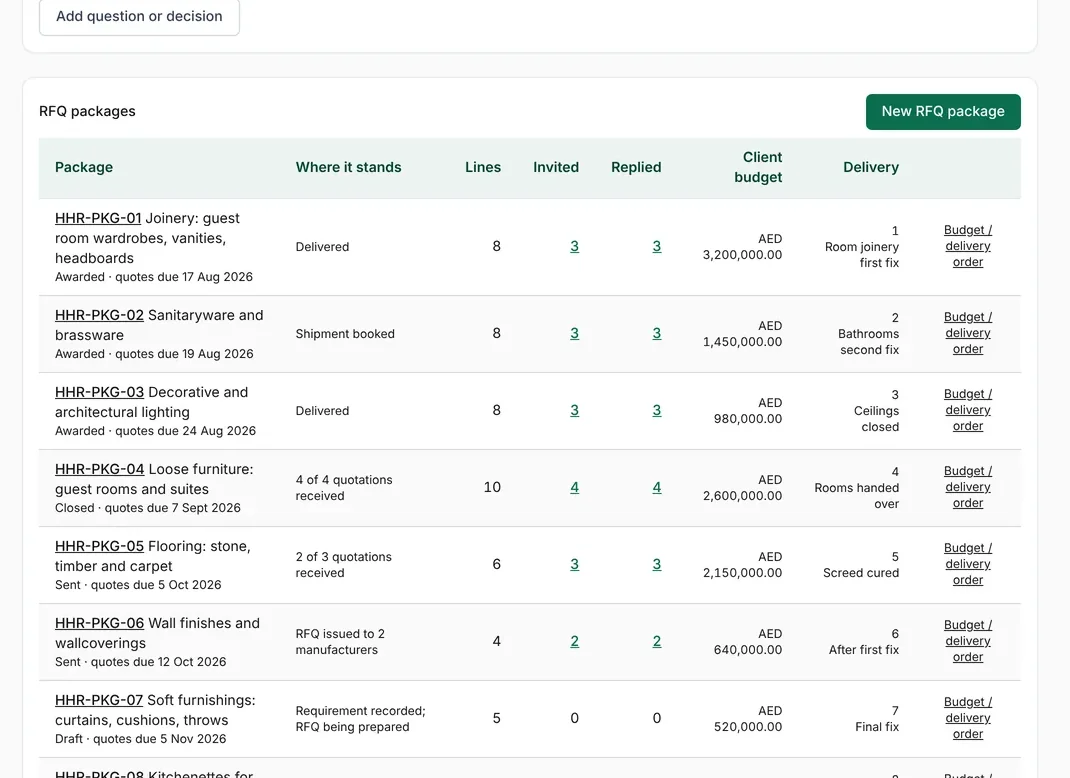
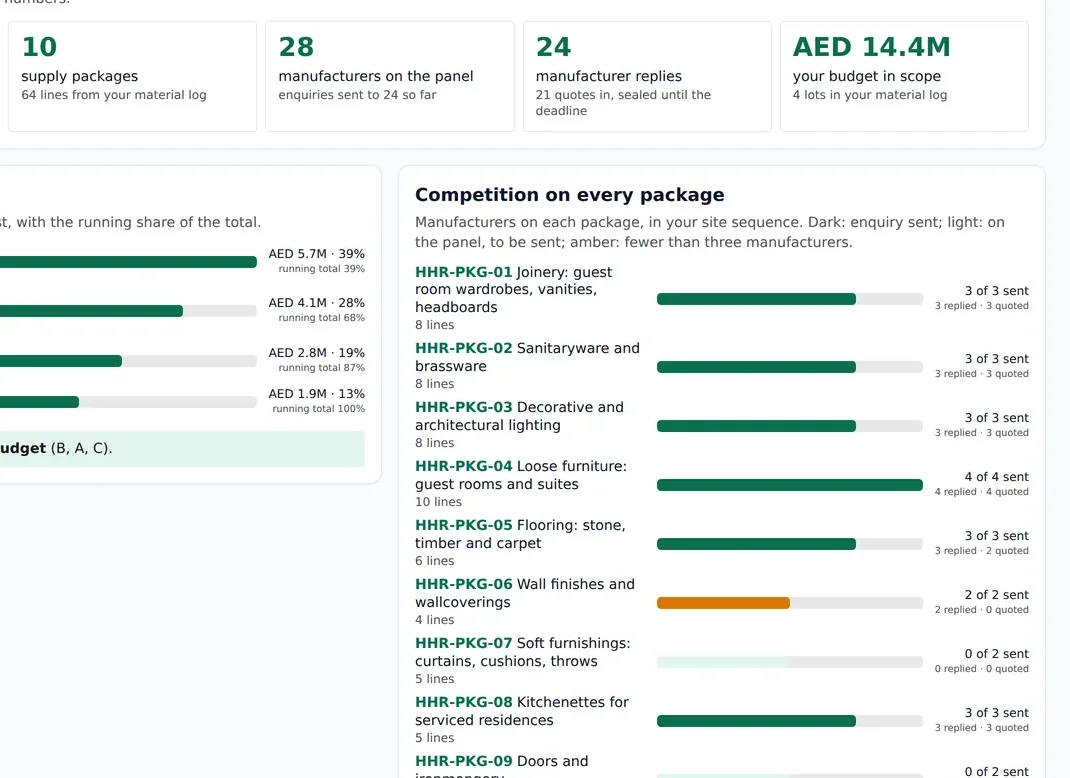
Split the bill of quantities into packages. Lines grouped into packages, manufacturers invited to each, replies tracked, and the client's budget and delivery order kept beside them.

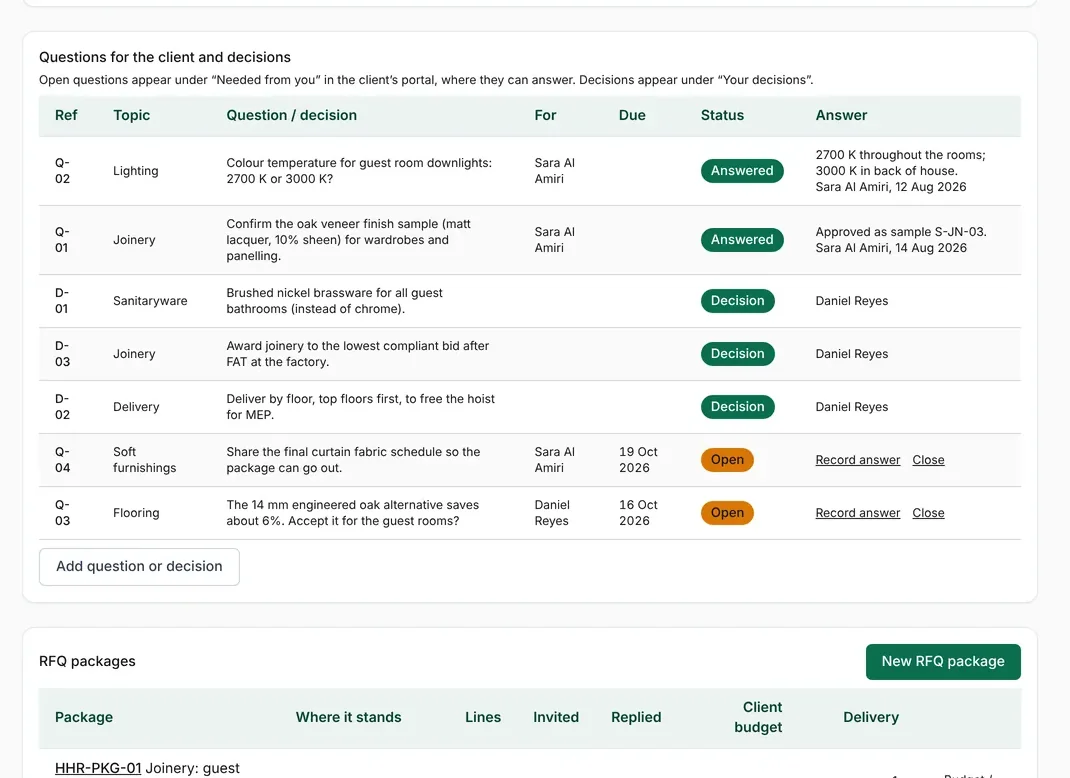
Answer technical questions once. Questions from manufacturers and decisions from the client in one log, with answers sent to every bidder so all quote on the same basis.

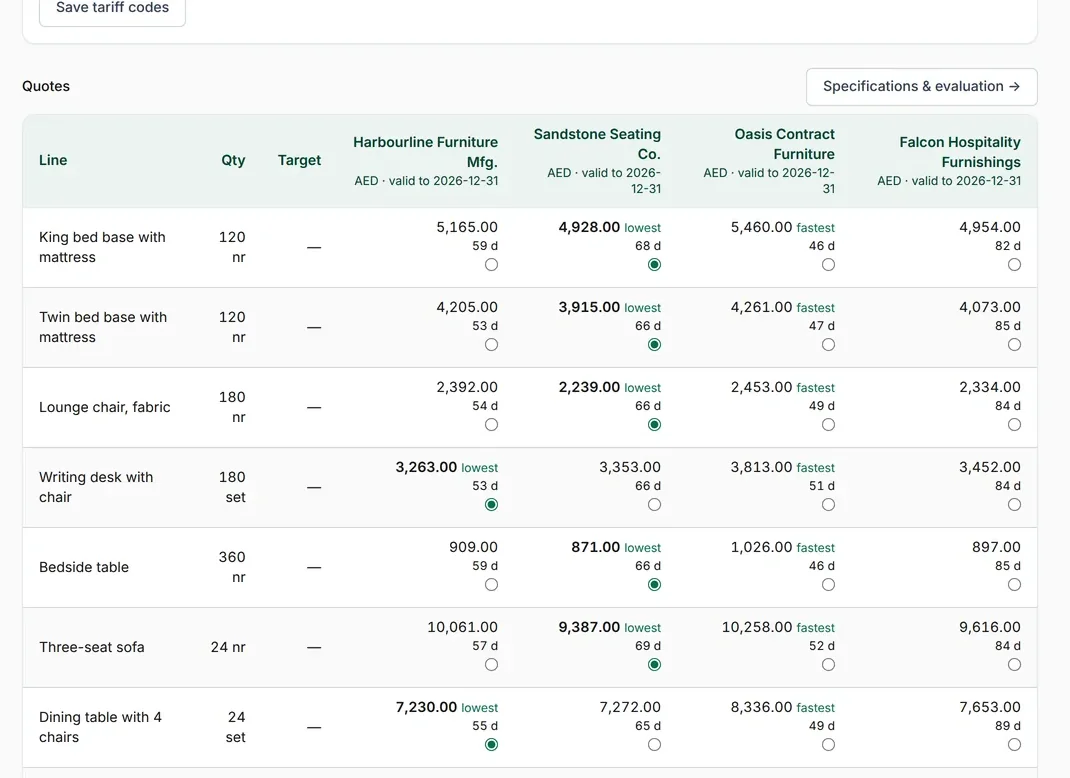
Compare quotes like for like. Every line side by side across manufacturers, with the lowest price and the fastest delivery marked before anyone awards.

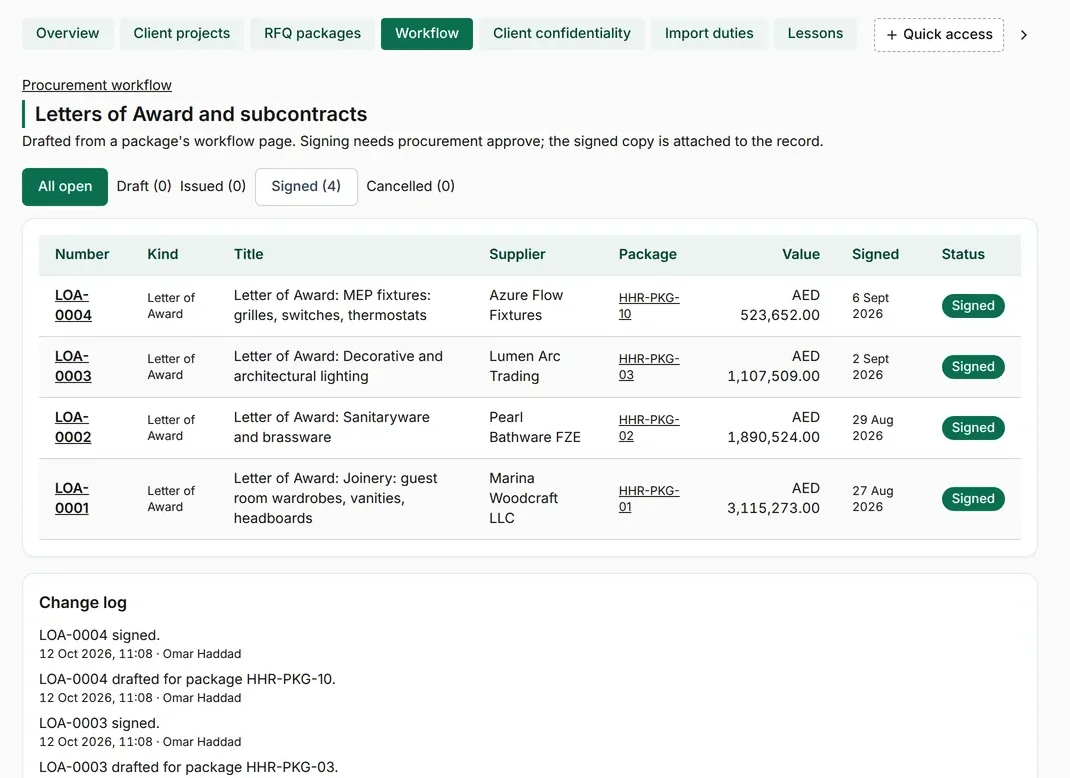
Award, sign and secure. Letters of award and purchase orders, with advance-payment and performance guarantees and their expiry dates.

Chase manufacturing before it slips. Progress reports from each manufacturer, with late packages and days behind shown at the top.

Inspect at the factory and on arrival. Inspection and test plans, factory acceptance tests and material inspections on arrival, each with its result.

Know before it is late. Lines that will miss their needed-by date are flagged, so the site hears about a delay before it happens.

Receive, inspect and release to site. Goods receipts, material inspection and release from the store to the floors that need them.

The client follows every stage. The client sees progress, what is needed from them and their own budgets in a portal. Supplier names and prices stay private.

See where the budget sits. Budget against quotes and competition on every package, at a glance.

Screens shown with sample data: an invented hotel project, client and manufacturers.

End-to-end workflow

All 18 stages of every package, open to your client

Each package moves through the same eighteen stages, from the first requirement to the final payment and closure. Your team sees where every package stands; your client logs in to their own portal and follows the same stages, documents and deliveries, without chasing anyone for an update.

app.mizo.co · Client portal
ProjectHotel fit-out, package 07: LightingSample hotel owner · sample data
Overall progress58%
Now: Manufacturing
Define
Source
Decide
Commit
Deliver
Close
DoneStage 1 of 18 · Define

Open the package

The package is created from the bill of quantities, with its scope, budget line and required-on-site date.

In the client portal

  • Scope and budget for the package
  • Date it must be on site

Documents

Package scope
DoneStage 2 of 18 · Define

Raise the requirement

Quantities, specifications and drawings collected into one request.

In the client portal

  • Items, quantities and specifications

Documents

Material request
DoneStage 3 of 18 · Define

Check it before it goes out

Specifications and quantities checked against the design and budget.

In the client portal

  • Comments on the specification
  • Final scope going to market

Documents

Reviewed specification
DoneStage 4 of 18 · Source

Find the right manufacturers

Manufacturers and suppliers shortlisted by category, country and track record.

In the client portal

  • Who is being invited, and why

Documents

Vendor shortlist
DoneStage 5 of 18 · Source

Go out to market

Request for quotation sent, technical questions answered once and shared with every bidder.

In the client portal

  • Bidders invited and quotes received
  • Questions and answers

Documents

RFQ packClarifications
DoneStage 6 of 18 · Source

Check the technical offer

Data sheets, samples and certificates checked against the specification.

In the client portal

  • Samples and data sheets
  • Compliance against the specification

Documents

Technical submittals
DoneStage 7 of 18 · Decide

Compare like for like

Quotes normalised for scope, freight, duties and terms, then compared line by line.

In the client portal

  • The comparison table
  • Landed cost per option

Documents

Commercial comparison
DoneStage 8 of 18 · Decide

Choose the supplier

The recommended supplier with the comparison and reasons behind it.

In the client portal

  • Recommendation and reasons
  • Savings against budget

Documents

Recommendation report
DoneStage 9 of 18 · Commit

Award

Purchase order or letter of award issued and signed.

In the client portal

  • The award, value and terms

Documents

Purchase orderLetter of award
DoneStage 10 of 18 · Commit

Secure the order

Advance payment against a bank guarantee, and the performance bond.

In the client portal

  • Advance paid and guarantees held
  • Guarantee expiry dates

Documents

Advance guaranteePerformance bond
In progress · 45%Stage 11 of 18 · Deliver

Chase production

Production milestones tracked and expedited before they slip.

In the client portal

  • Production progress and photos
  • Ship date, and whether it is moving

Documents

Production scheduleFactory photos
PlannedStage 12 of 18 · Deliver

Inspect at the factory

Factory acceptance tests and pre-shipment inspection, with the result.

In the client portal

  • Inspection date and result

Documents

Inspection report
PlannedStage 13 of 18 · Deliver

Ship and clear

Booking, shipping, customs clearance and the expected arrival on site.

In the client portal

  • Vessel, ETA and clearance status

Documents

Bill of ladingPacking list
PlannedStage 14 of 18 · Deliver

Receive on site

Goods counted and checked on arrival; damage and shortages recorded.

In the client portal

  • Received against ordered
  • Any damage or shortage

Documents

Delivery noteReceiving report
PlannedStage 15 of 18 · Deliver

Release to the contractor

Material issued to the installing contractor against the right area.

In the client portal

  • What has been released, and where

Documents

Release note
PlannedStage 16 of 18 · Close

Match the invoice

Supplier invoice matched to the order and what was received.

In the client portal

  • Invoiced against delivered

Documents

Supplier invoice
PlannedStage 17 of 18 · Close

Pay the supplier

Payment released and retention held where it applies.

In the client portal

  • Paid, retained and outstanding

Documents

Payment record
PlannedStage 18 of 18 · Close

Close the package

Warranties filed, bonds returned and final savings reported.

In the client portal

  • Final cost against budget
  • Warranties on file

Documents

WarrantiesClose-out report

A sample project with sample data. Tap any stage to see what happens in it and what the client sees.

What the client sees when they log in

  • Where each package stands

    All eighteen stages for every package, with what is done, in progress and late.

  • Quotes and comparisons

    Who was invited, what they offered and the like-for-like comparison.

  • Factory and delivery photos

    Production, inspection and delivery photos, dated, package by package.

  • Payments

    Advances, guarantees, invoices and payments, against the budget.

  • Requests

    Ask a question or raise a concern on any package, and follow it to the answer.

See it running on your own numbers

Start a free 14-day trial, pre-loaded with sample data — or bring your own from day one.

Start free trial