From the booking to the books
One system for the floor, the kitchen, the till and the accounts. Take bookings and deposits, run tables and takeaway, send orders to the kitchen, let guests order and pay by QR, close every shift with a cash count, and see food cost and best sellers every morning. Every sale posts to the books with UAE VAT.
The floor, live during service
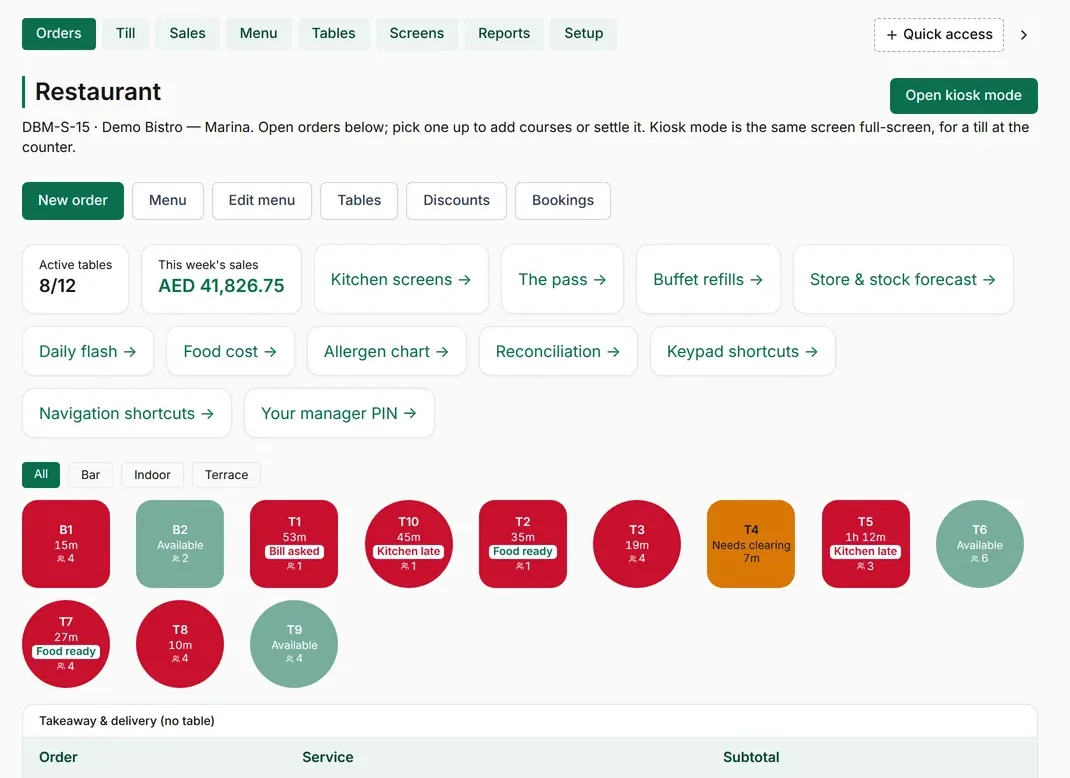 123
123- 1Kitchen late, food ready and bill asked show on the table itself.
- 2Tables in use and this week's sales, updated as orders close.
- 3Daily flash, food cost and reconciliation are one tap away.
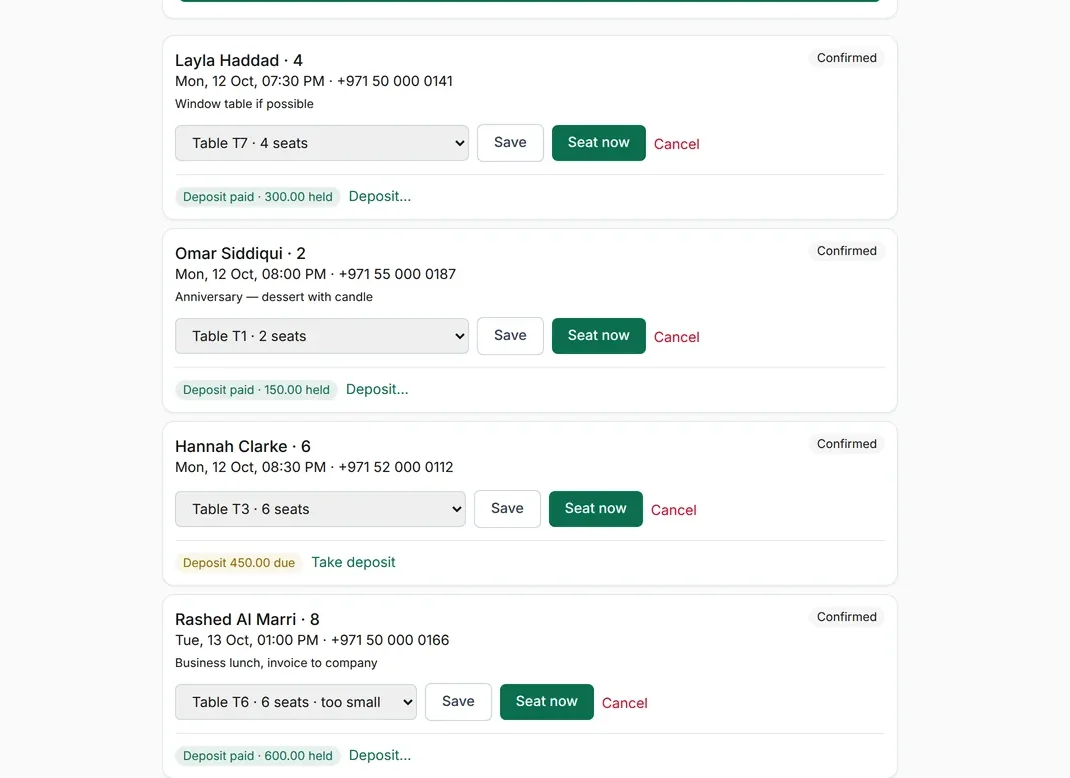
Take bookings with deposits. Reservations with a table assigned, deposits taken by card or transfer and held against the booking, and a warning when a party is too big for its table.
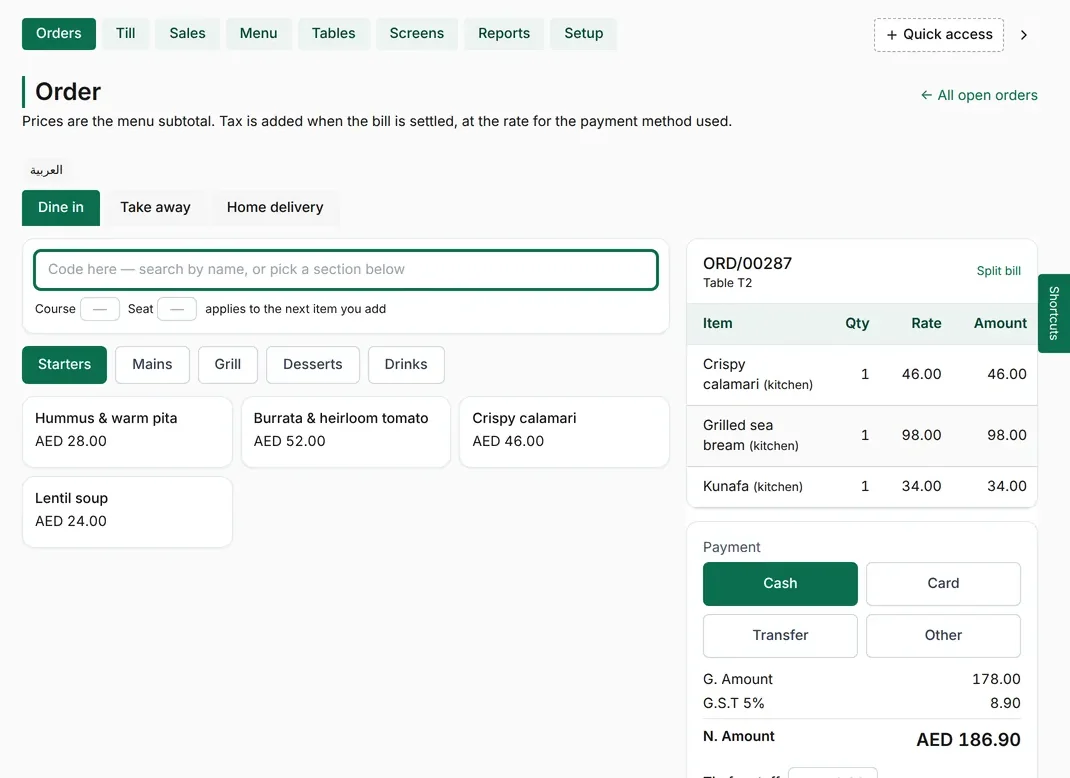
Take orders in seconds. Menu by section with prices, modifiers and notes, for dine-in, takeaway and delivery.
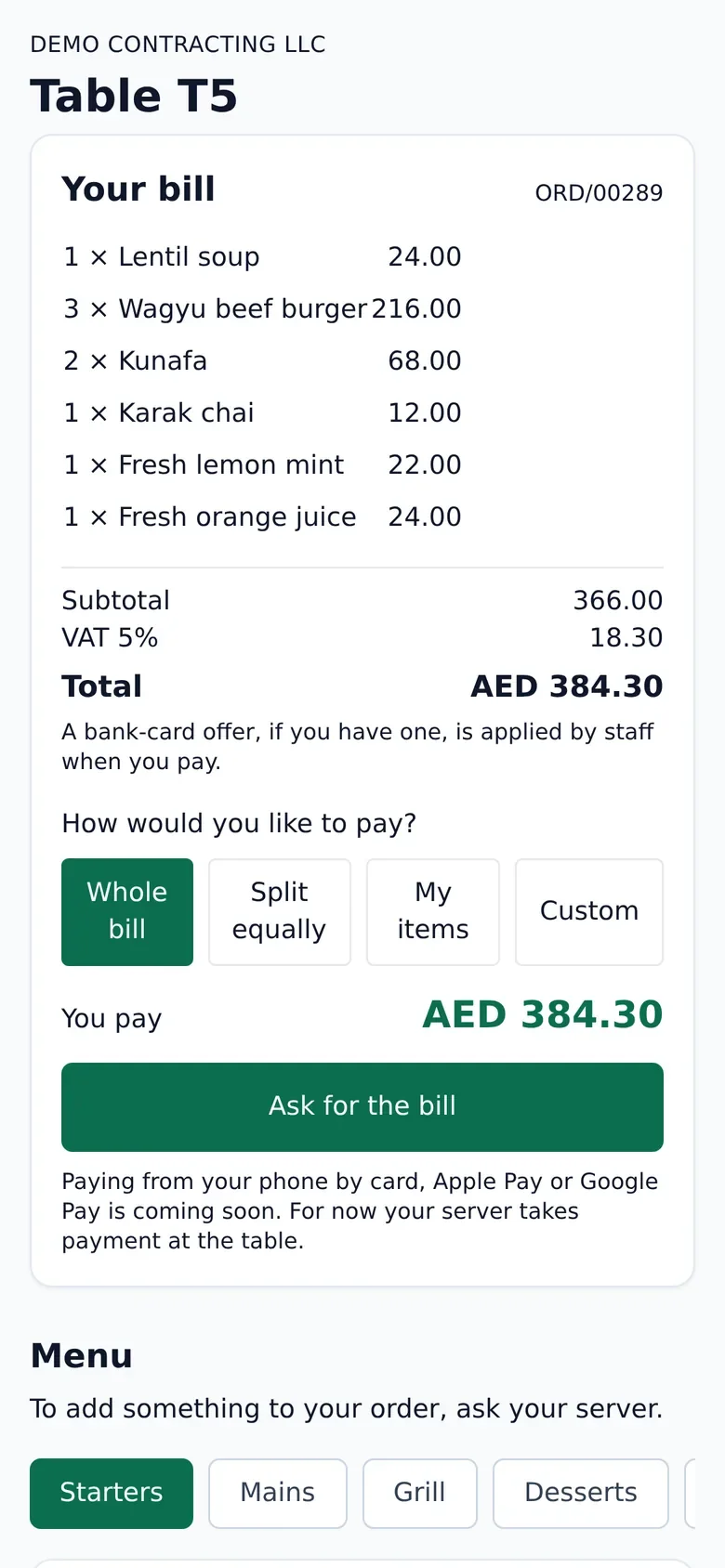
Let guests order and pay from the table. Guests scan the table's code to see the menu, order, split the bill and pay, with VAT shown.
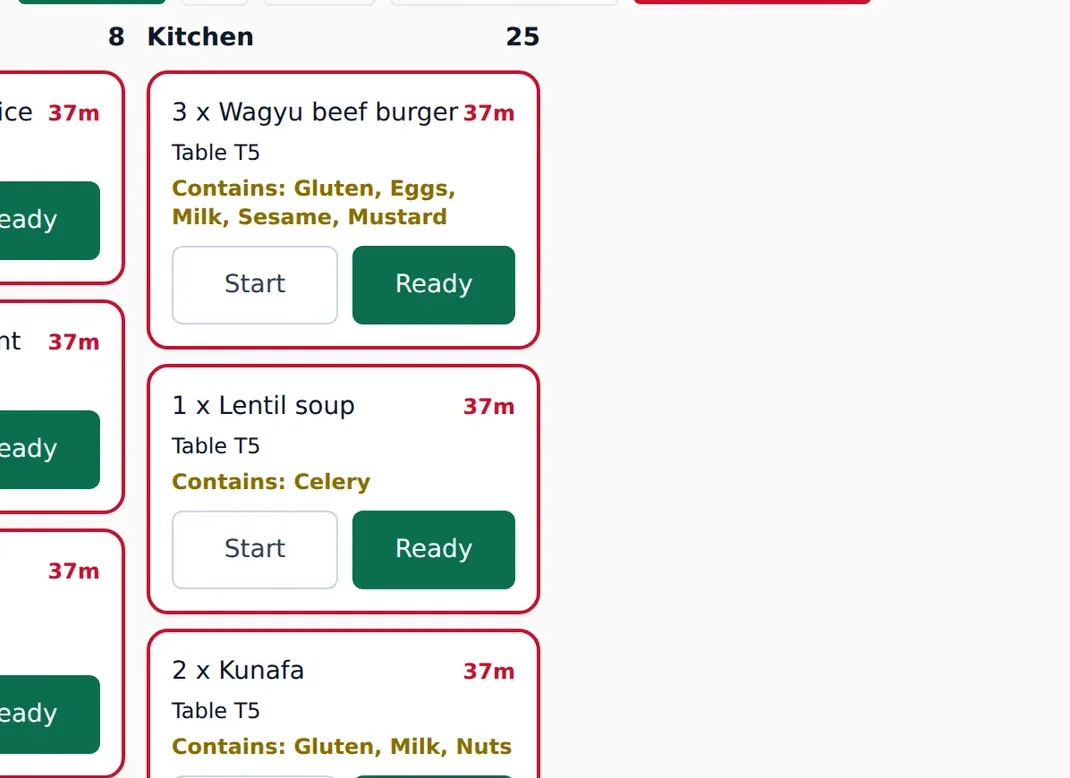
Run the kitchen from a screen. Orders by station with their age, late tickets highlighted and allergens flagged, in English or Arabic.
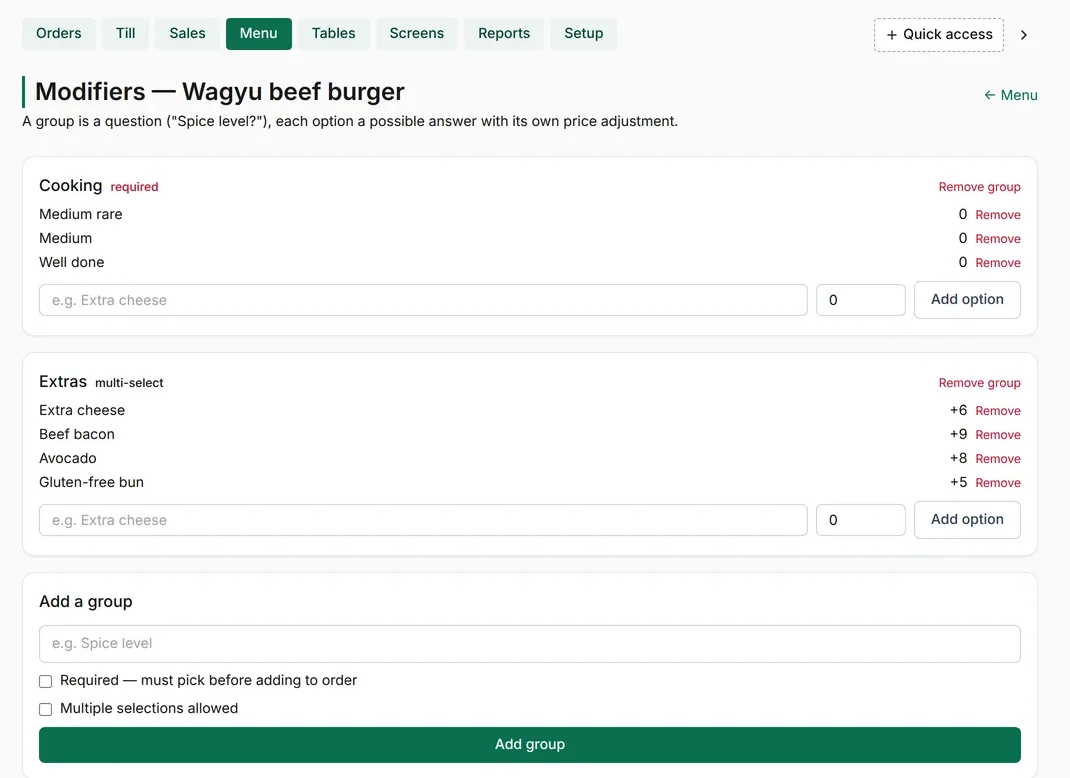
Build the menu once. Dishes with required and optional modifiers and their prices, used by the till, the QR menu and the kitchen.
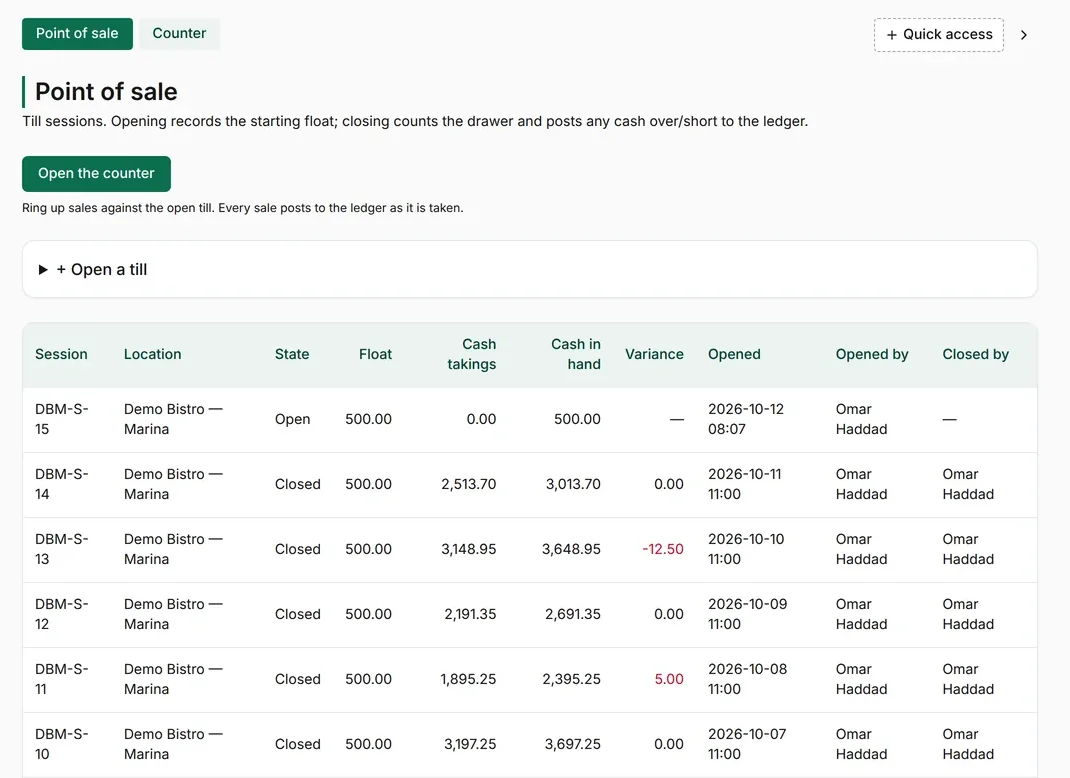
Close every shift with a cash count. Float, cash taken and cash counted for every till session, with any variance posted to the accounts.
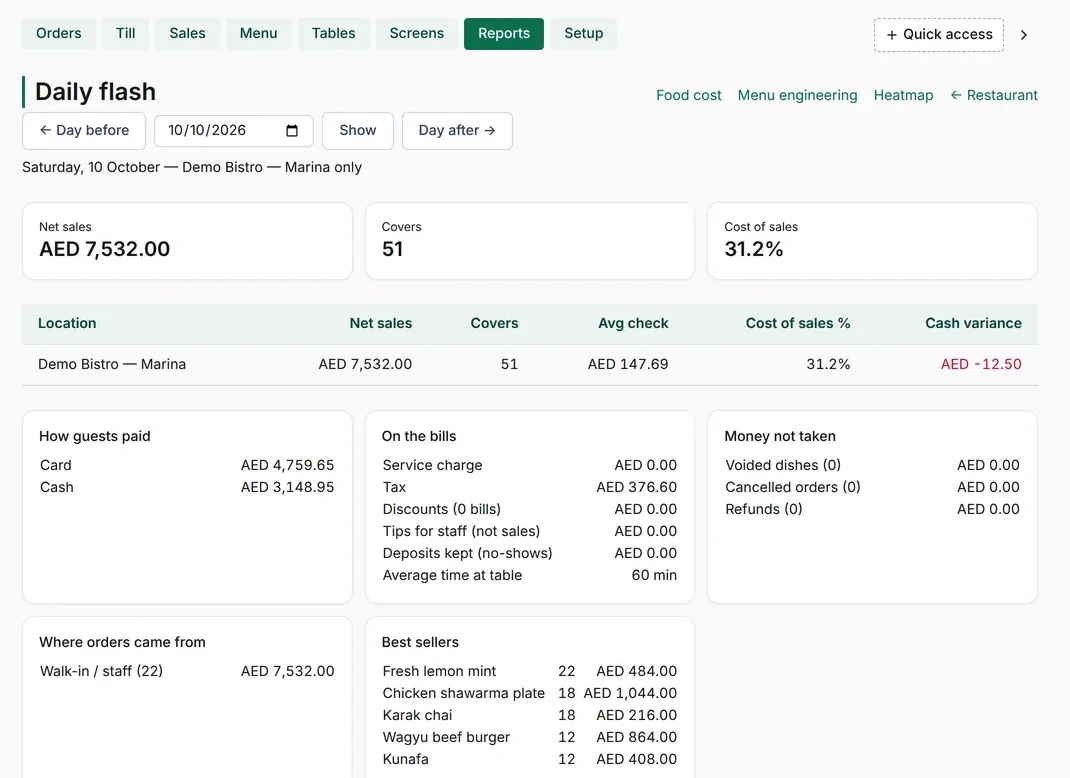
Yesterday's numbers every morning. Net sales, covers, cost of sales, payment mix and best sellers for the day.
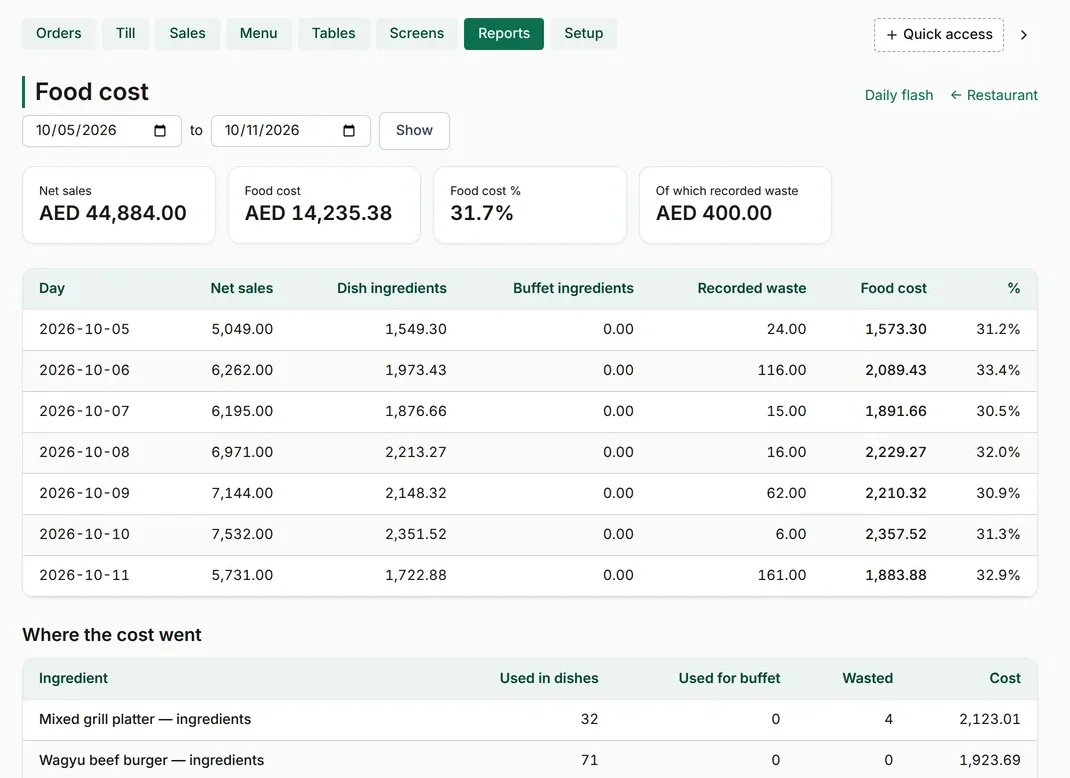
Know your food cost. Food cost by day and by ingredient, with recorded waste.
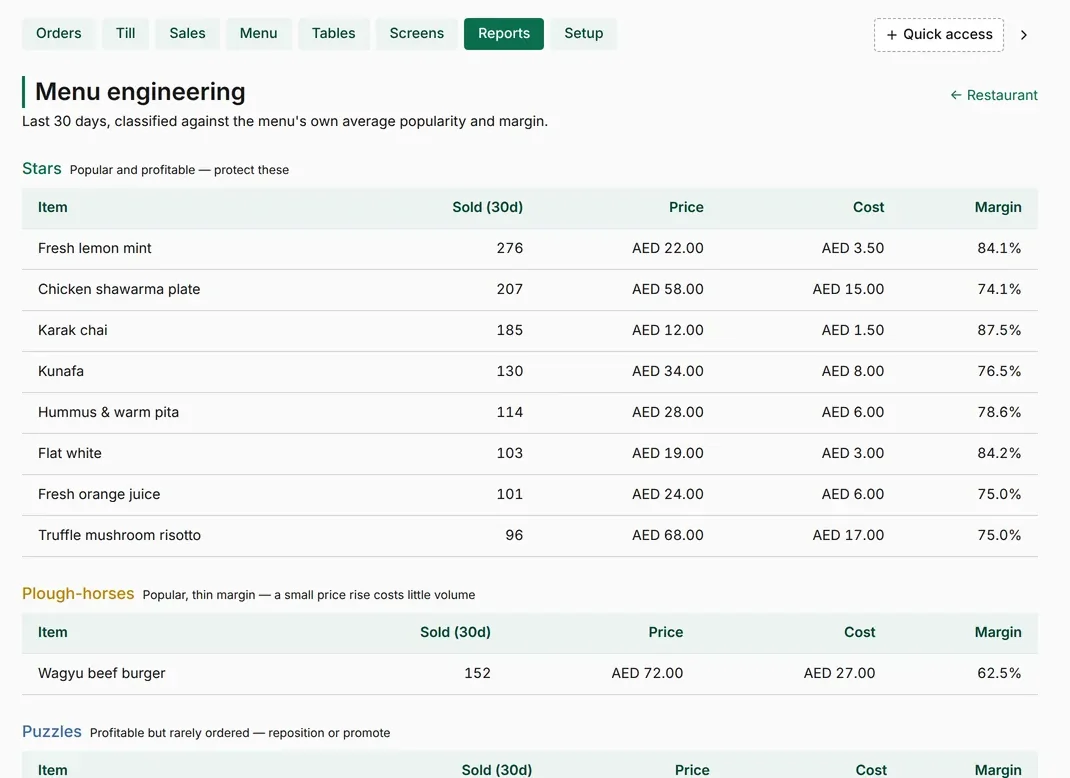
Keep the dishes that earn their place. Each dish placed by popularity and margin, so the menu keeps its stars and fixes or drops the rest.
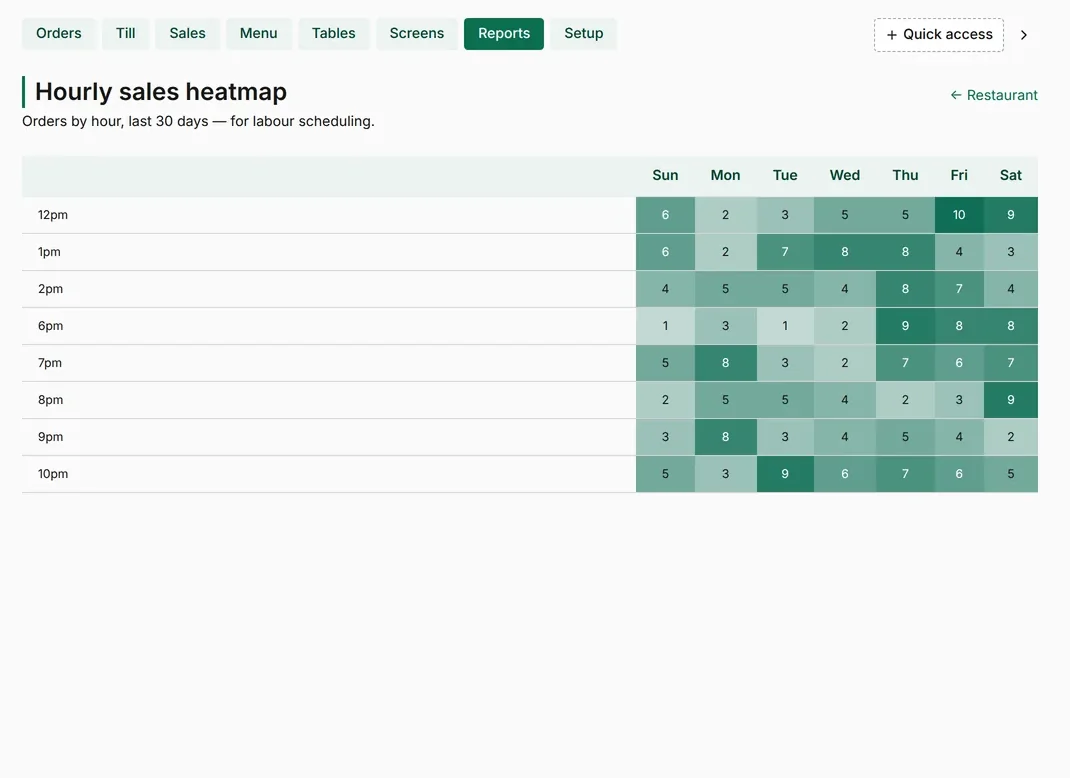
Staff for the busy hours. Sales by hour and day of the week, so rotas follow the real lunch and dinner peaks.
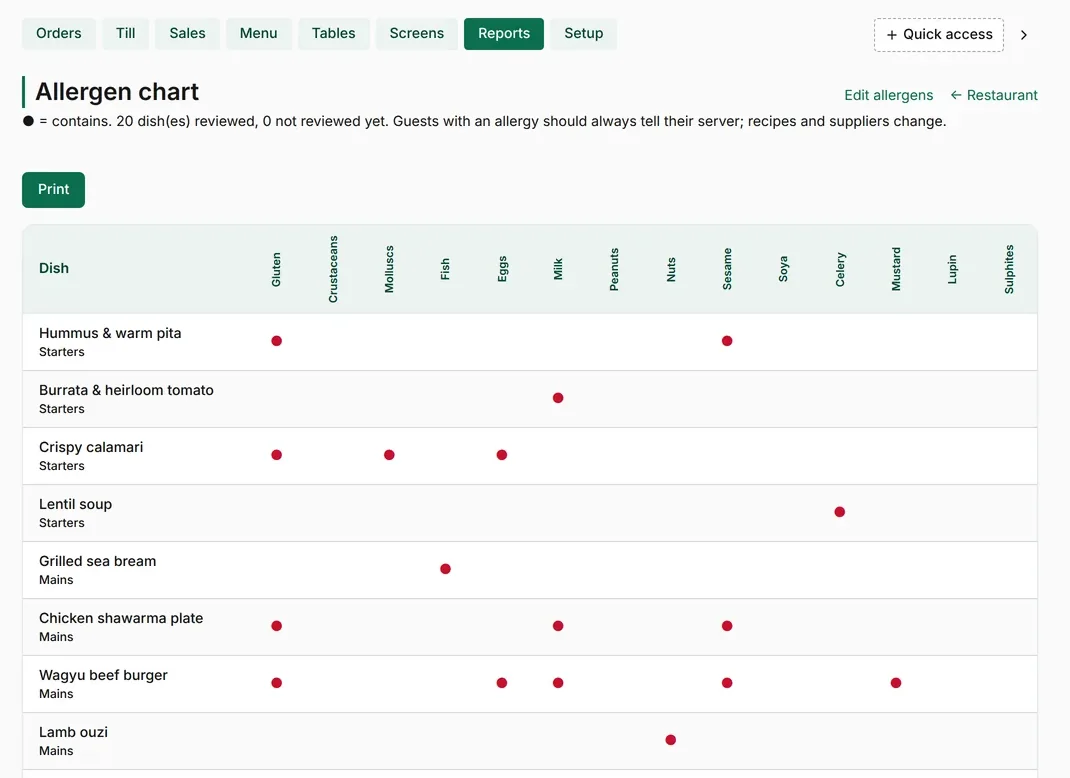
Keep allergens under control. Every dish checked against the 14 allergens, shown to staff and in the kitchen.
Screens shown with sample data: an invented restaurant, menu, guests and orders.