1. Getting started
Open your account
- Go to app.mizo.co/signup and enter your name, work e-mail and company name. The 14-day trial is free and needs no credit card.
- Confirm your e-mail address from the message we send you.
- Sign in at app.mizo.co/login. Your trial company opens pre-loaded with sample data so you can try every screen straight away.
Install the app (optional)
Mizo runs in any modern browser. To have it on your phone or desktop as an app, follow the steps on Get the app (iPhone, Android, Mac and Windows). You sign in with the same e-mail and password everywhere.
Set up your company
- Open Settings → Company profile and fill in your legal name, address, trade licence, emirate and Tax Registration Number (TRN). These appear on every invoice.
- Open Settings → Modules & configuration and switch on the modules you use, such as Restaurant, Real estate development or Procurement.
- Add your colleagues under Settings → Users (see Users and settings).
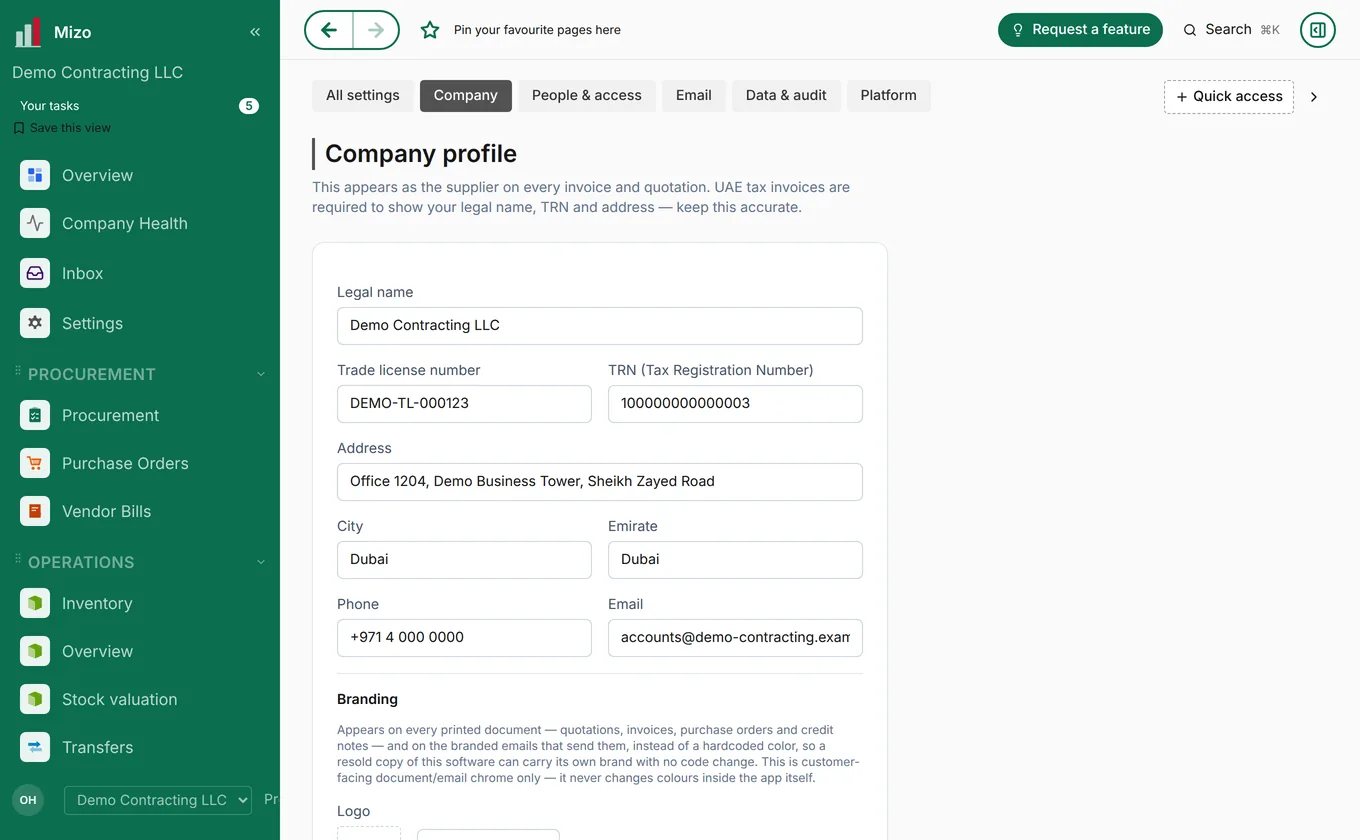
Bring in your data
Open Settings → Download templates to get spreadsheet templates for customers, suppliers, products and opening balances. Fill them in, then upload them under Settings → Import data. You can start with the sample data and bring your own the same day. If you would rather we do it, write to support@mizo.co.
2. Finding your way around
Your home screen
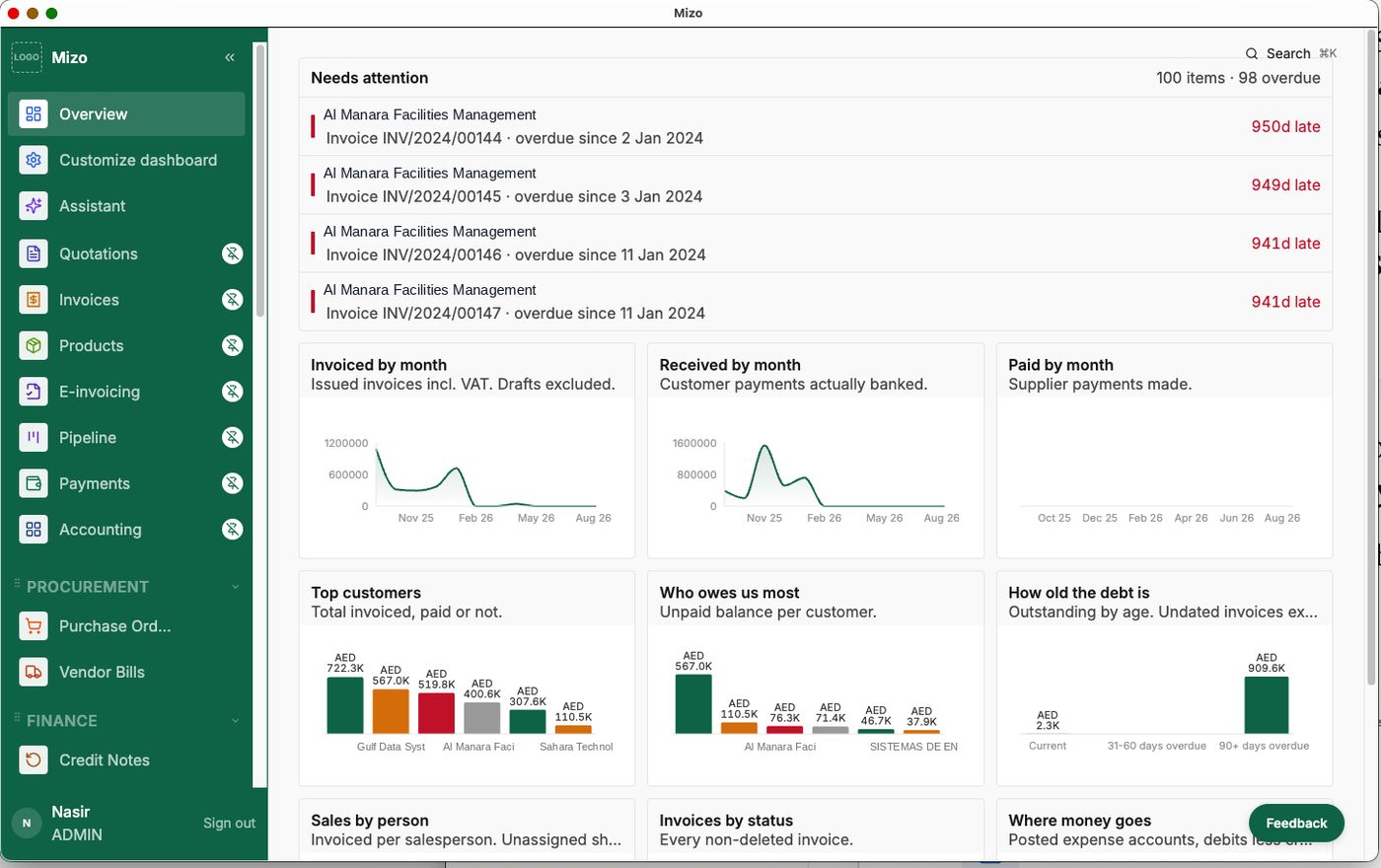
After you sign in, the overview shows what needs your attention today: overdue invoices, money invoiced and received this month, your top customers and where money is going. Click any figure to open the records behind it.
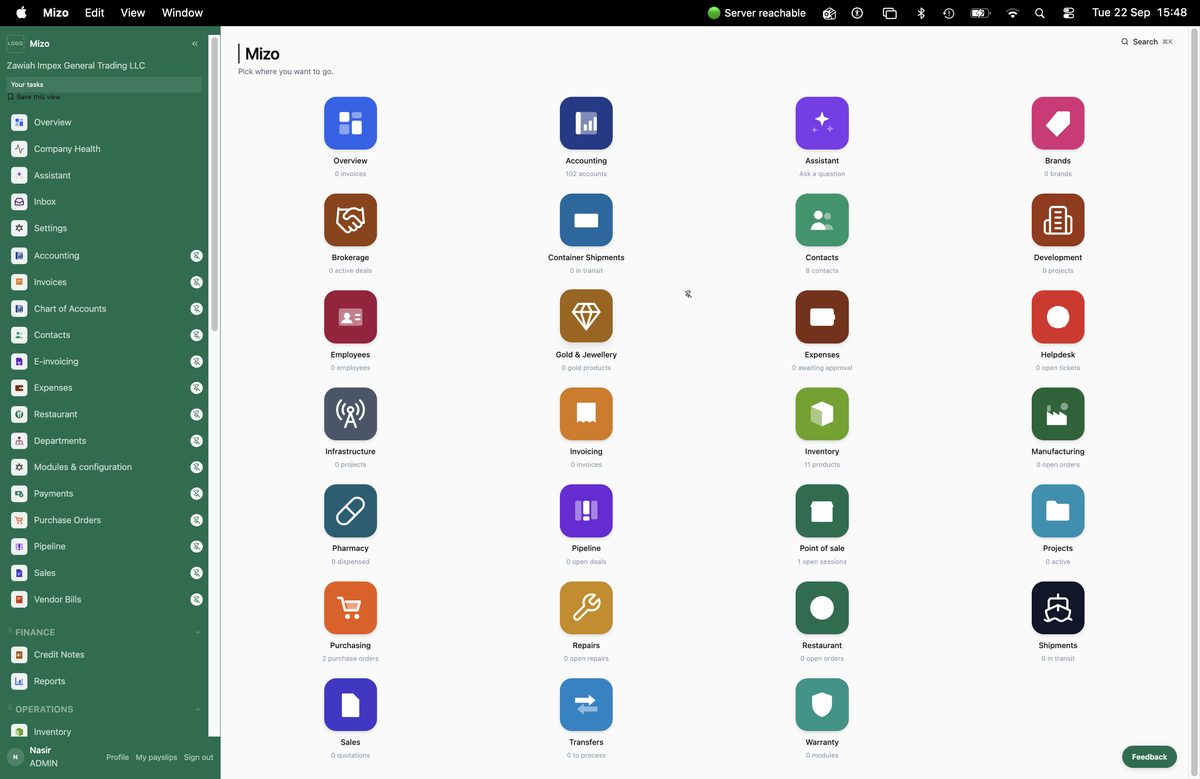
Modules
The launcher shows every module switched on for your company, each with a live count. Open one and its sections appear as a bar along the top of every screen in that module, so lists, dashboards, reports and settings are always one click away.
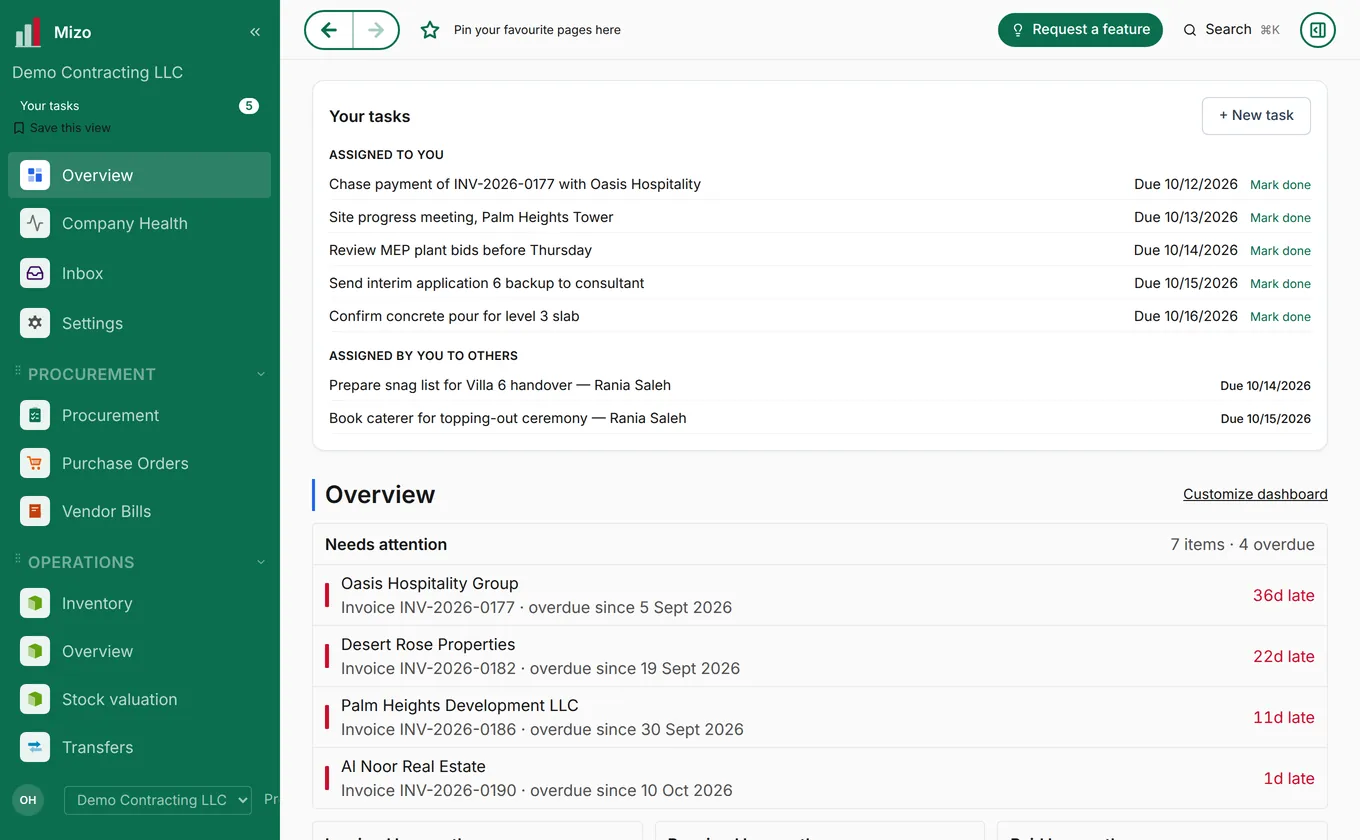
Your tasks
Each person sees their own list of tasks and what is waiting on them, across all modules.
Ask the assistant
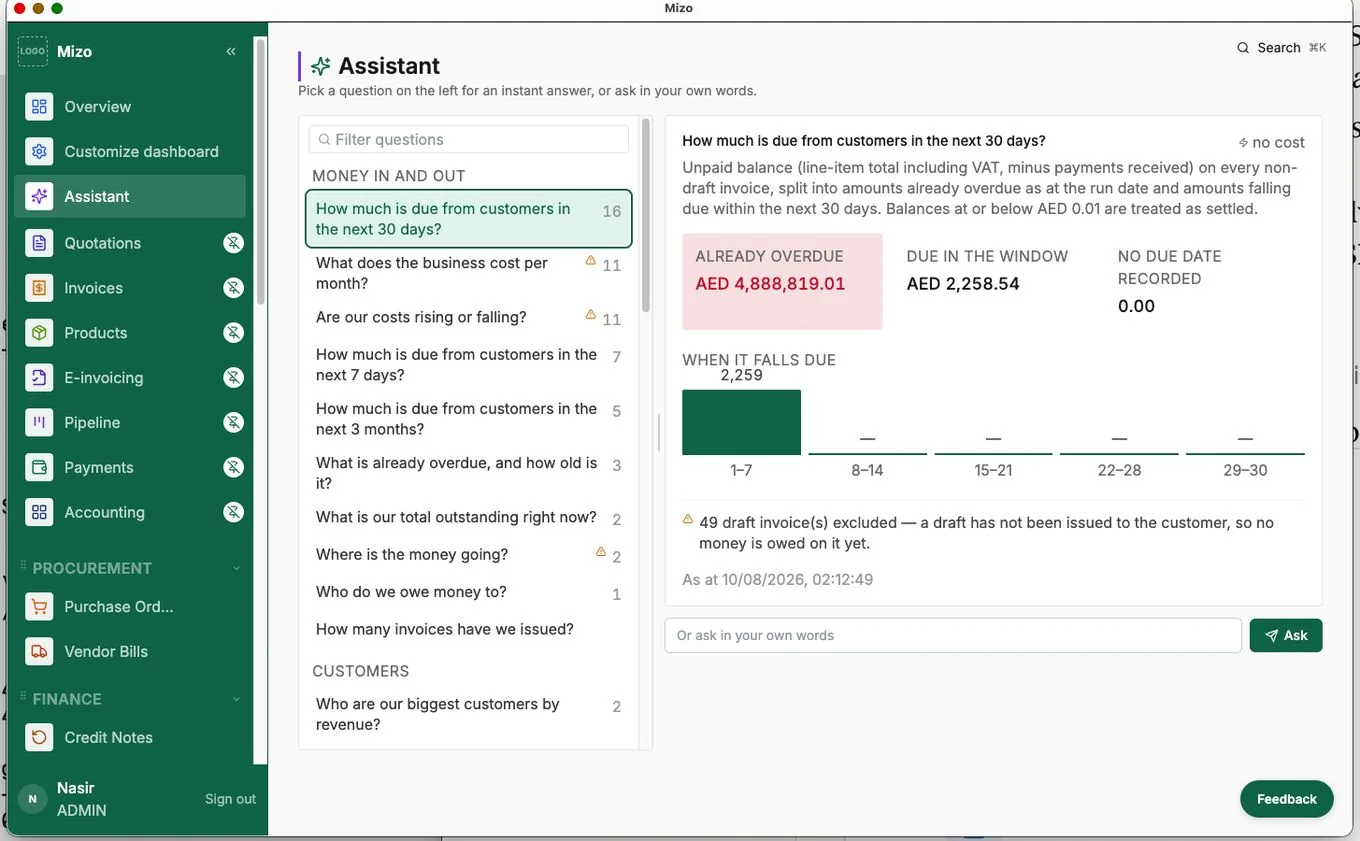
Type a question about your business in plain words, such as "How much is due from customers in the next 30 days?", and Mizo's AI assistant answers from your own data and shows the figures behind the answer.
3. Sales and invoicing
Customers
Add customers under Contacts with their address, TRN and payment terms, or import them from a spreadsheet. Everything you do with a customer (quotes, invoices, receipts, statements) is linked to their record.
Quote, order, invoice
- Quotation: in Sales → Quotations, click New, choose the customer, add products or services and send it by e-mail or WhatsApp. Save frequent quotes as quotation templates.
- Sales order: when the customer accepts, confirm the quotation and it becomes a sales order.
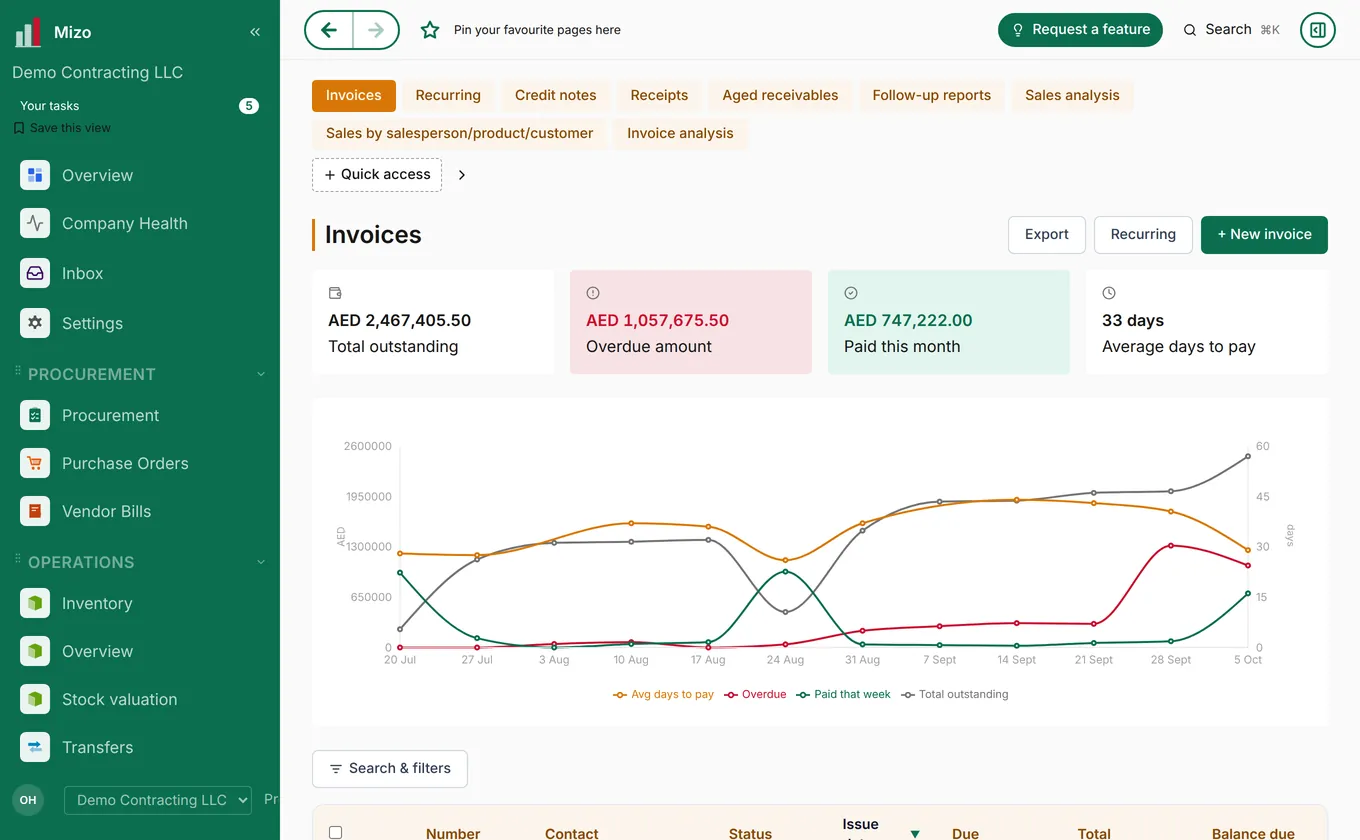
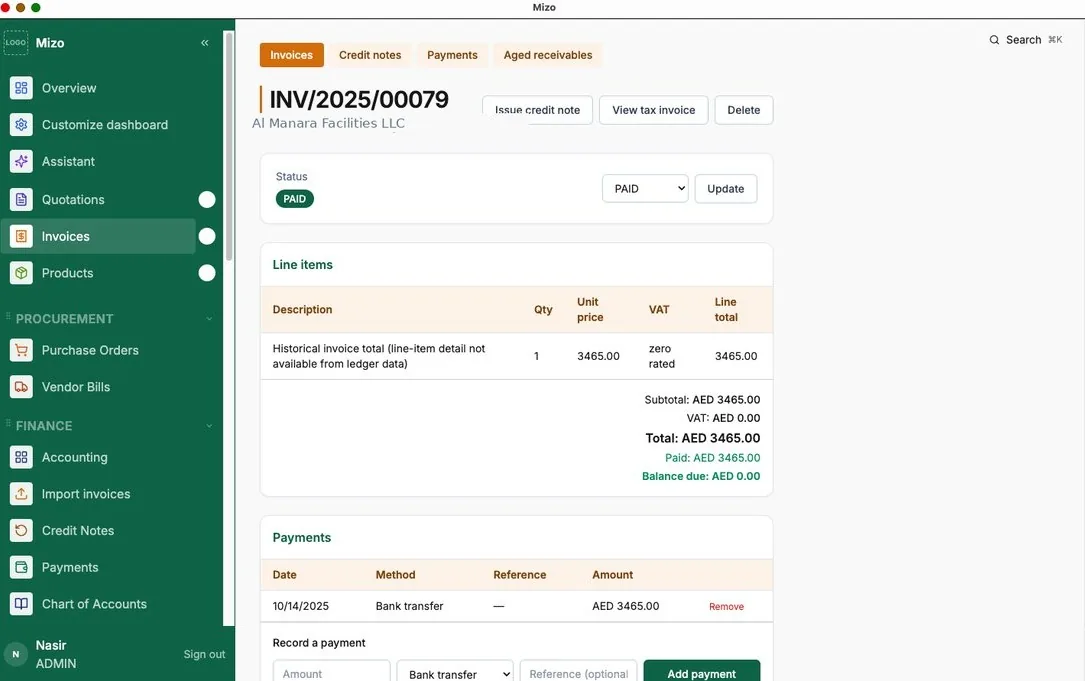
- Invoice: create the invoice from the order in one click, or start a fresh one in Invoices → New. Check the lines and VAT, then send it.
- Receipt: when the customer pays, record the payment in Receipts (or let them pay online, see below). The invoice shows as paid and the balance updates.
Other things you can do
- Recurring invoices for rent, retainers and subscriptions: set them up once in Invoices → Recurring.
- Credit notes for returns and corrections, linked to the original invoice.
- Online payments: switch them on in Settings → Online payments and customers can pay by card from the invoice link or at mizo.co/pay.
- Chasing payment: Aged receivables and Follow-up reports show who owes what and for how long.
- Sales reports: sales analysis by salesperson, product and customer.
- Pipeline: track leads and opportunities on a board by stage, with sources and assignment rules.
4. UAE e-invoicing and VAT
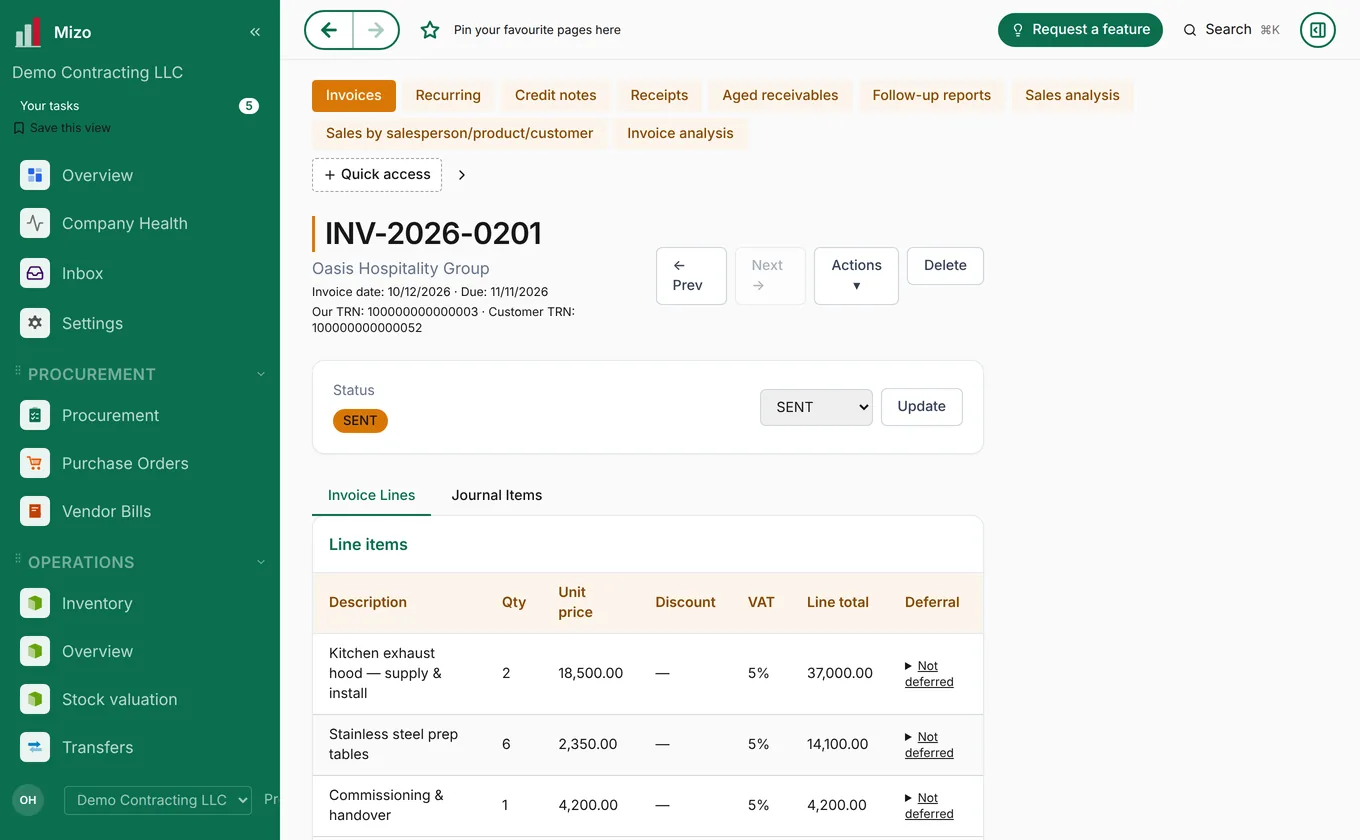
Mizo invoices carry everything the UAE requires: both parties' TRNs, VAT line by line and the invoice details the e-invoicing rules ask for. For deadlines and what your business needs to do, read our UAE e-invoicing guide and confirm with the Federal Tax Authority or your adviser.
- Make sure your TRN and your customers' TRNs are filled in (Company profile and Contacts).
- Choose your e-invoicing provider in Settings → E-invoicing provider.
- Open E-invoicing to see every invoice's readiness. Anything missing is listed so you can fix it before sending.
- At the end of each period, open the Tax report for your VAT 201 return, split by emirate.
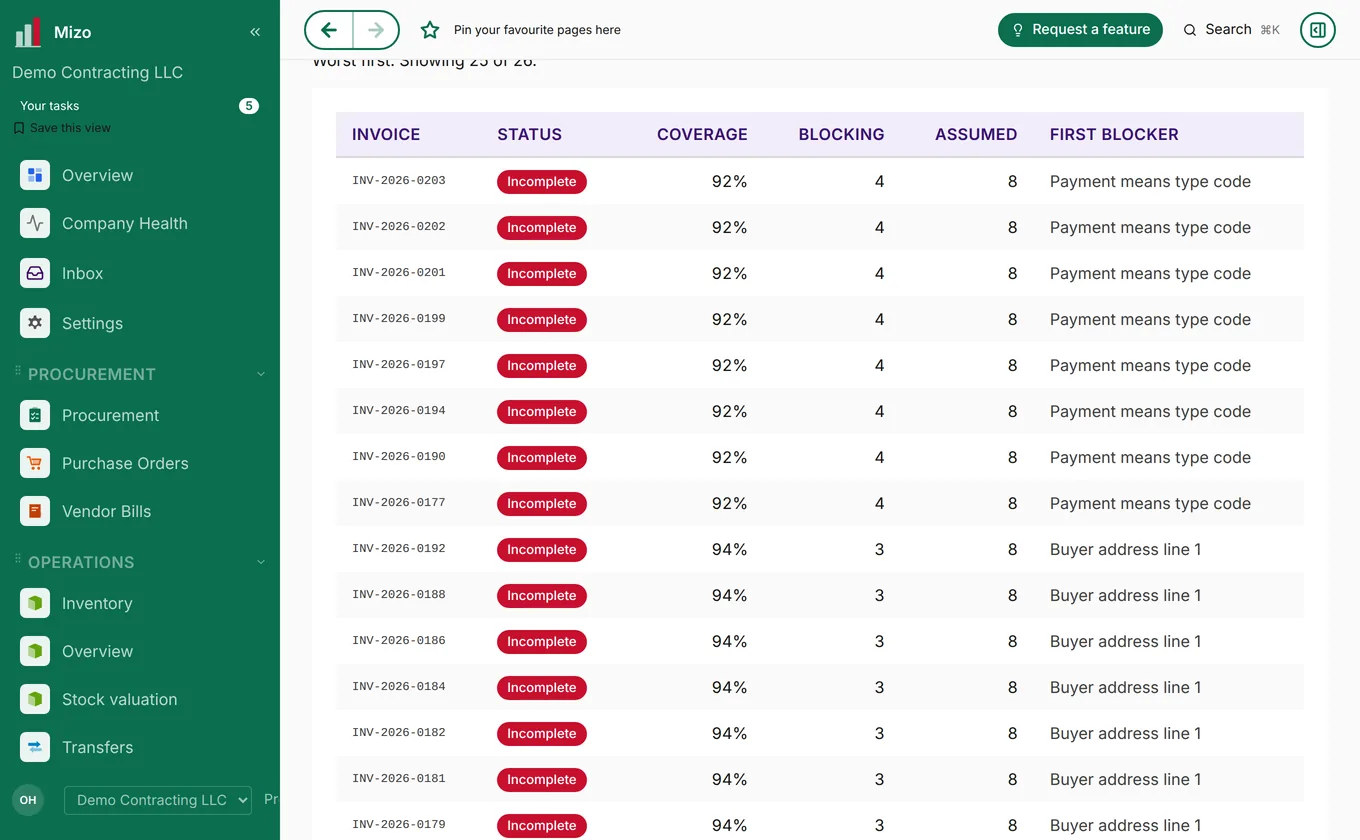
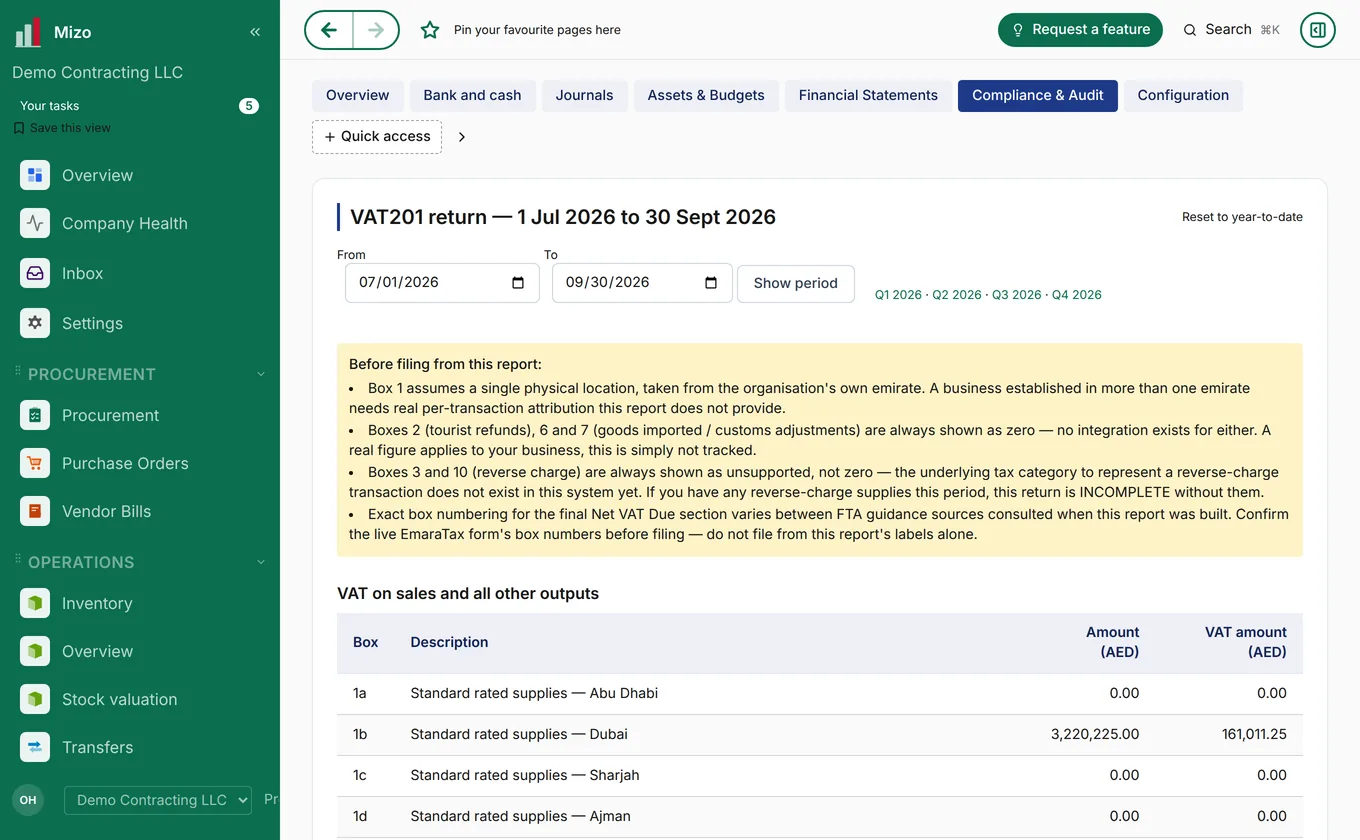
E-invoicing documents beyond your plan's allowance are charged as shown on Pricing.
5. Purchasing and inventory
Buying
- Requisition: anyone who needs something raises a purchase requisition.
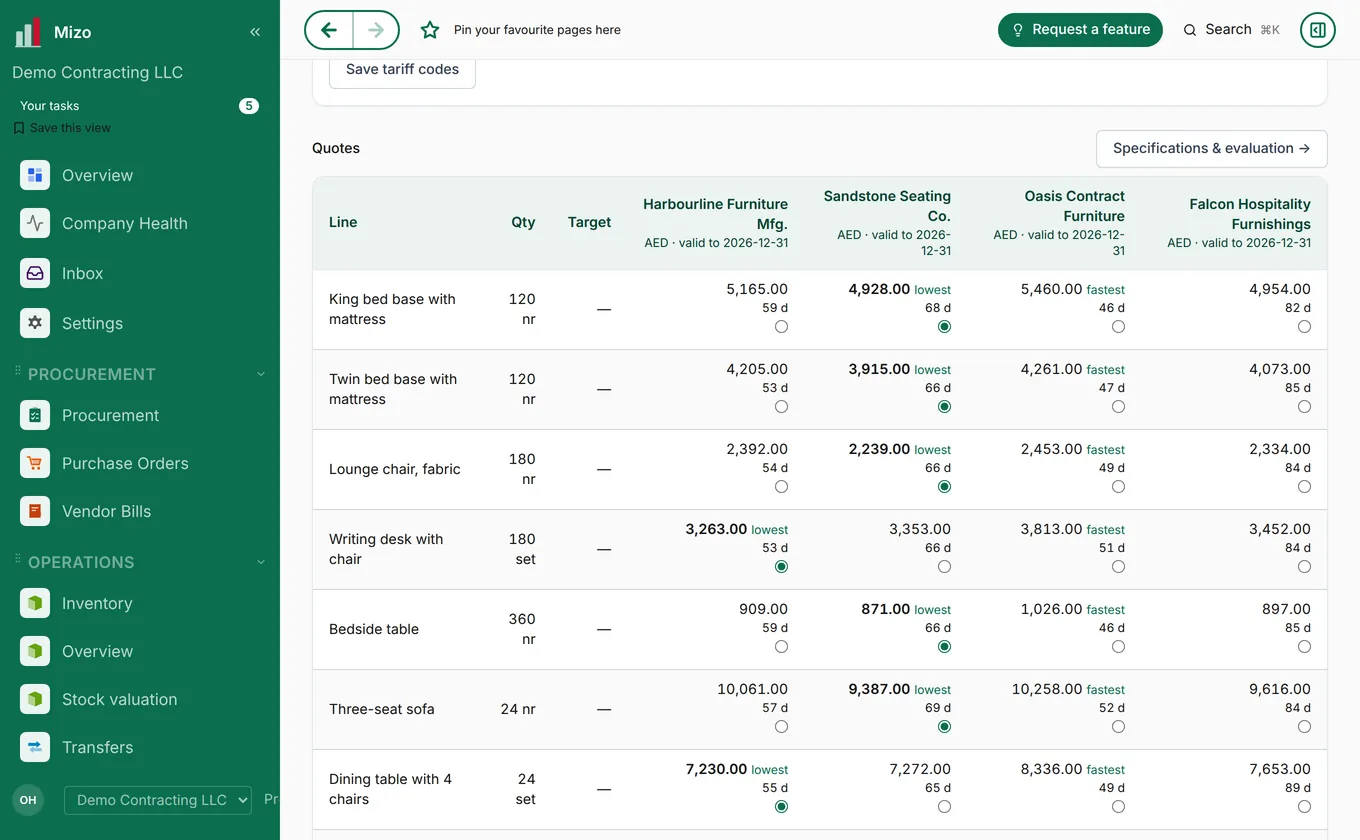
- Quotes: ask suppliers for prices and compare their offers side by side; the lowest and fastest are marked.
- Purchase order: turn the chosen offer into a purchase order and send it to the supplier.
- Receive: book the goods in when they arrive; stock updates straight away.
- Vendor bill: enter or scan the supplier's bill and match it to the order, then pay it.
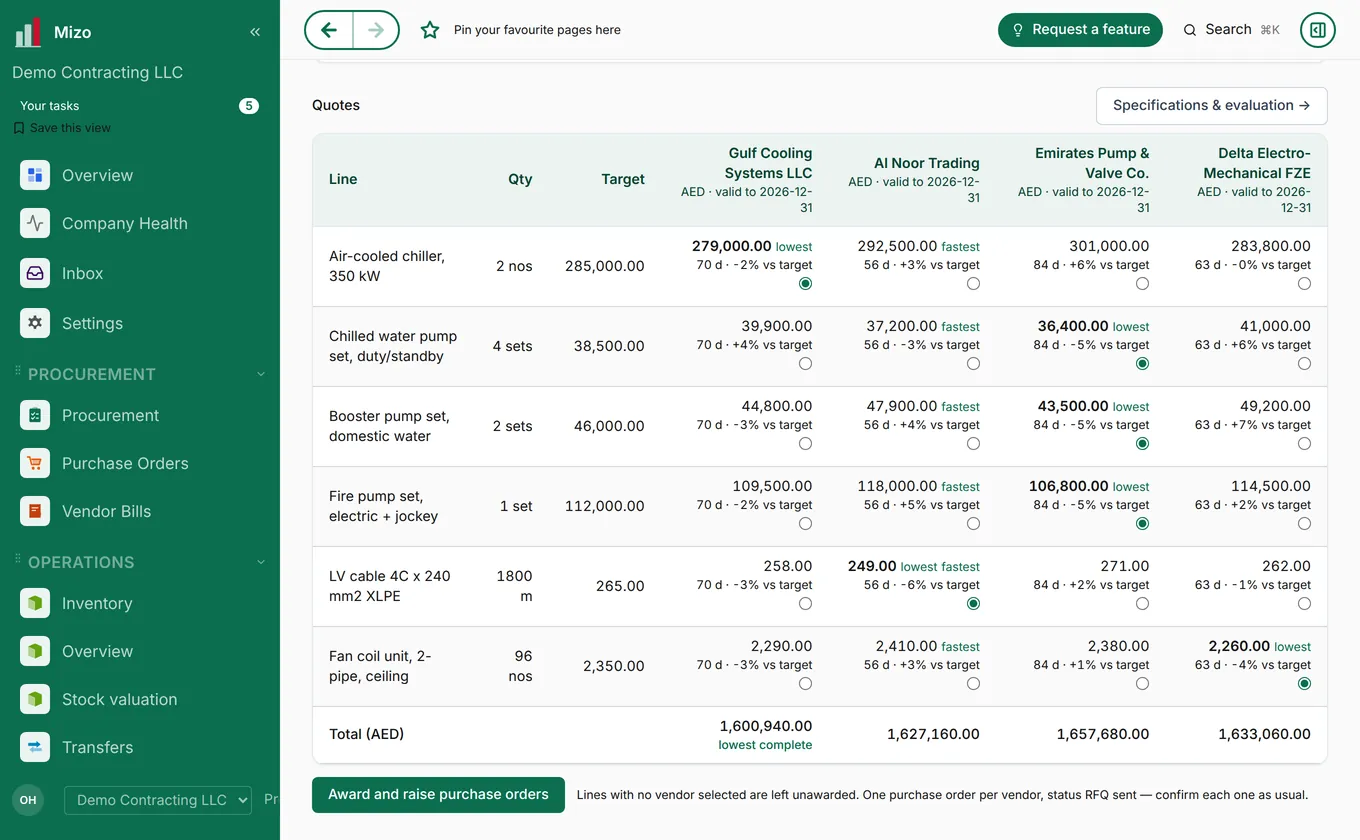
Purchase agreements, vendor price lists, vendor performance and purchase analysis are in the same module's top bar.
Stock
- Products: add items with units, prices, barcodes, lots or serial numbers.
- Transfers and shipments: move stock between locations and track deliveries, including container shipments with landed cost.
- Replenishment: see what is running low and reorder.
- Reports: stock valuation, stock moves, aging, lot expiry dates and "find by serial number".
6. Accounting and reports
Every invoice, bill, receipt and payment you record lands in your accounts automatically, so the books are always up to date.
- Bank and cash: see balances and match bank statement lines to receipts and payments.
- Reports: trial balance, general ledger, balance sheet, profit and loss, aged receivables, partner ledger and the tax report. Every figure opens the entries behind it.
- Expenses: staff submit expense claims with a photo of the receipt.
- HR and payroll: employees, departments, leave and payroll, with payslips each person can see under My payslips.
- Multi-currency: set rates under Settings → Exchange rates.
7. Industry modules
Switch these on in Settings → Modules & configuration. Each centre page on this website walks through the module stage by stage.
Real estate development
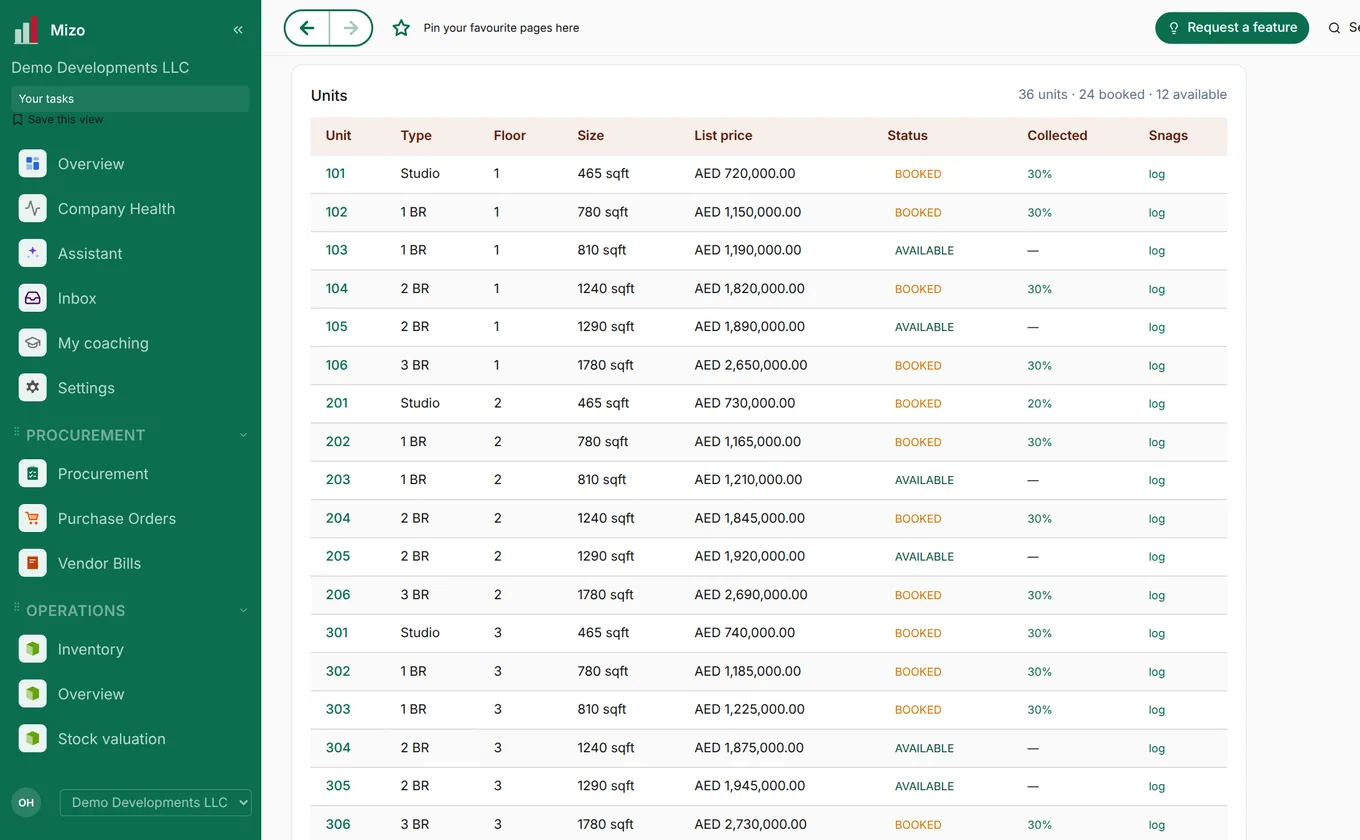
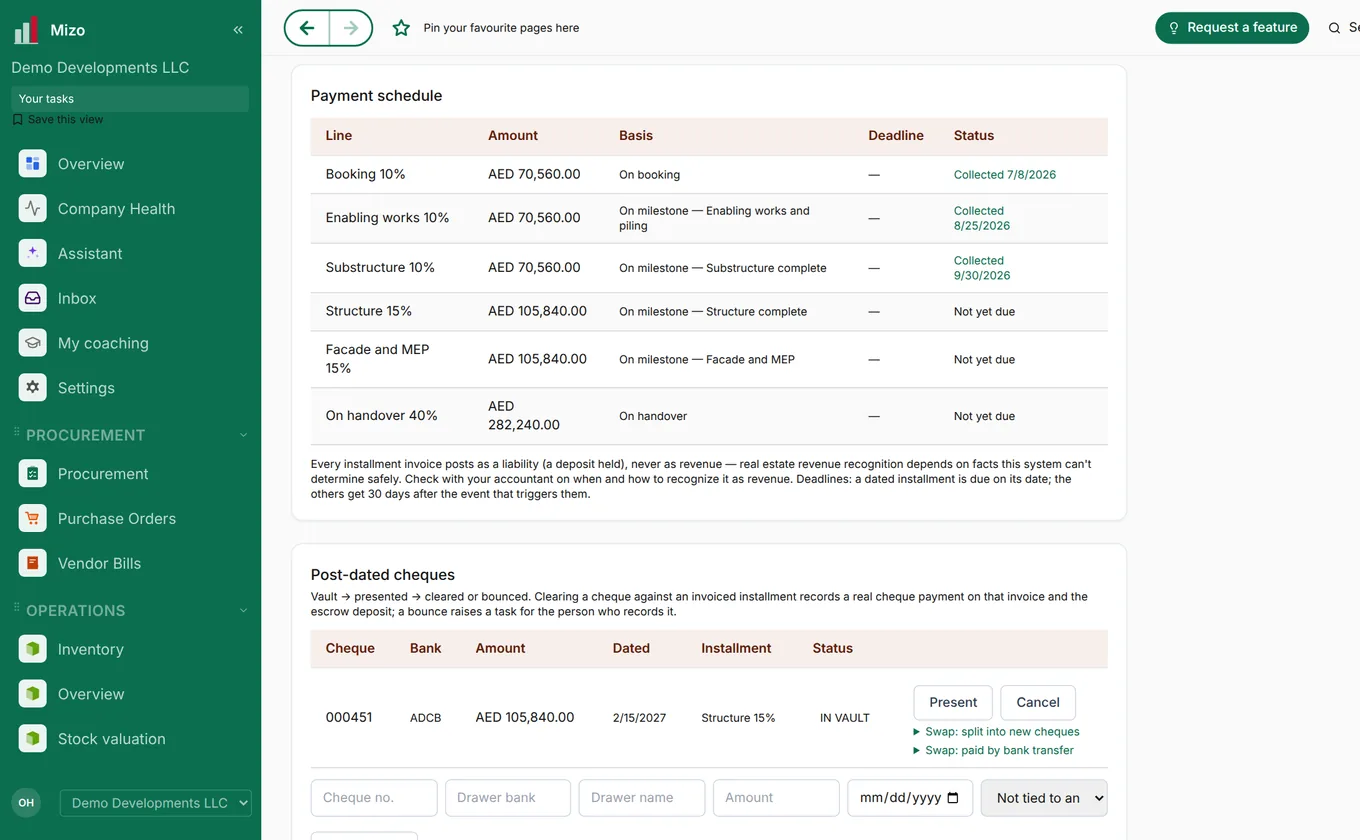
Projects from land and feasibility through design, permits, procurement, construction and handover. Sales covers leads, unit availability and holds, offers, payment plans, brokers and commissions; collections covers instalments, cheques and bank reconciliation. Full walk-through: Real estate development and Sales house.
Procurement
Large purchases for client projects, from the request through RFQ packages, bid comparison, award, expediting, inspection, delivery and receiving at site. Full walk-through: Procurement.
Project management
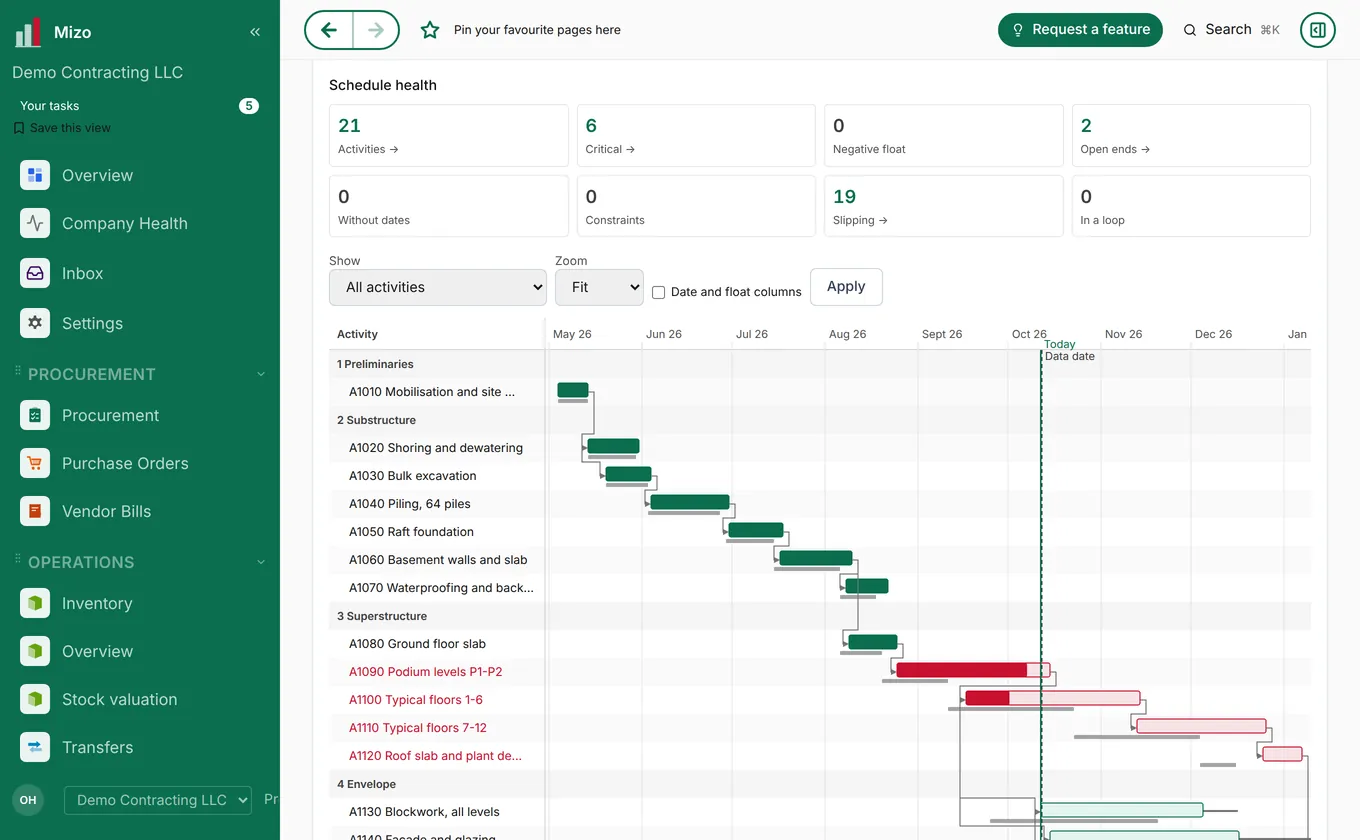
Schedules with stages, links and baselines, look-ahead planning, timesheets, resources, and progress against plan. Clients can follow each stage in their own portal. Full walk-through: Project management.
Restaurant management
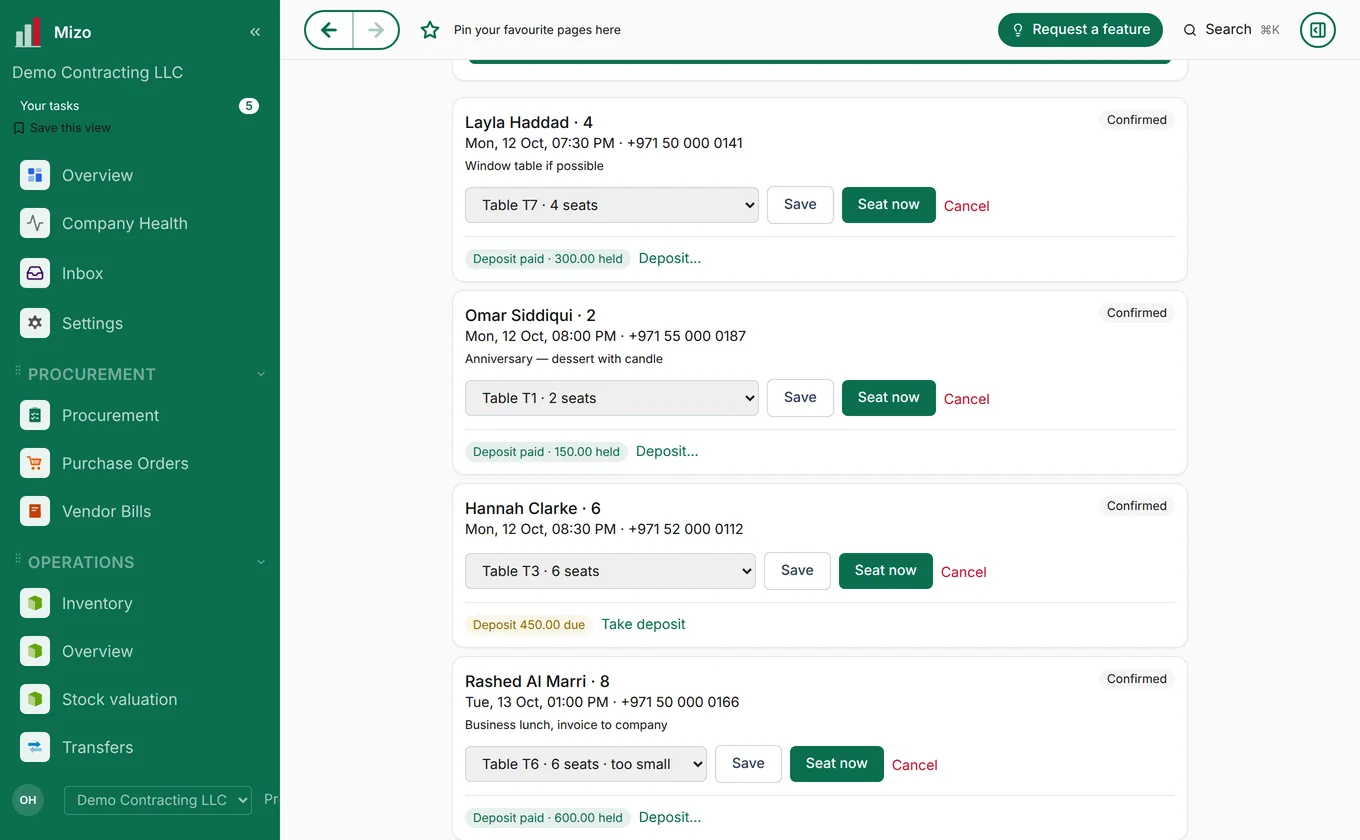
Bookings, tables and kitchen display, point of sale, QR menus, allergen charts, food cost, daily flash and delivery-aggregator reconciliation. Full walk-through: Restaurant management.
Design, BOQ and cost
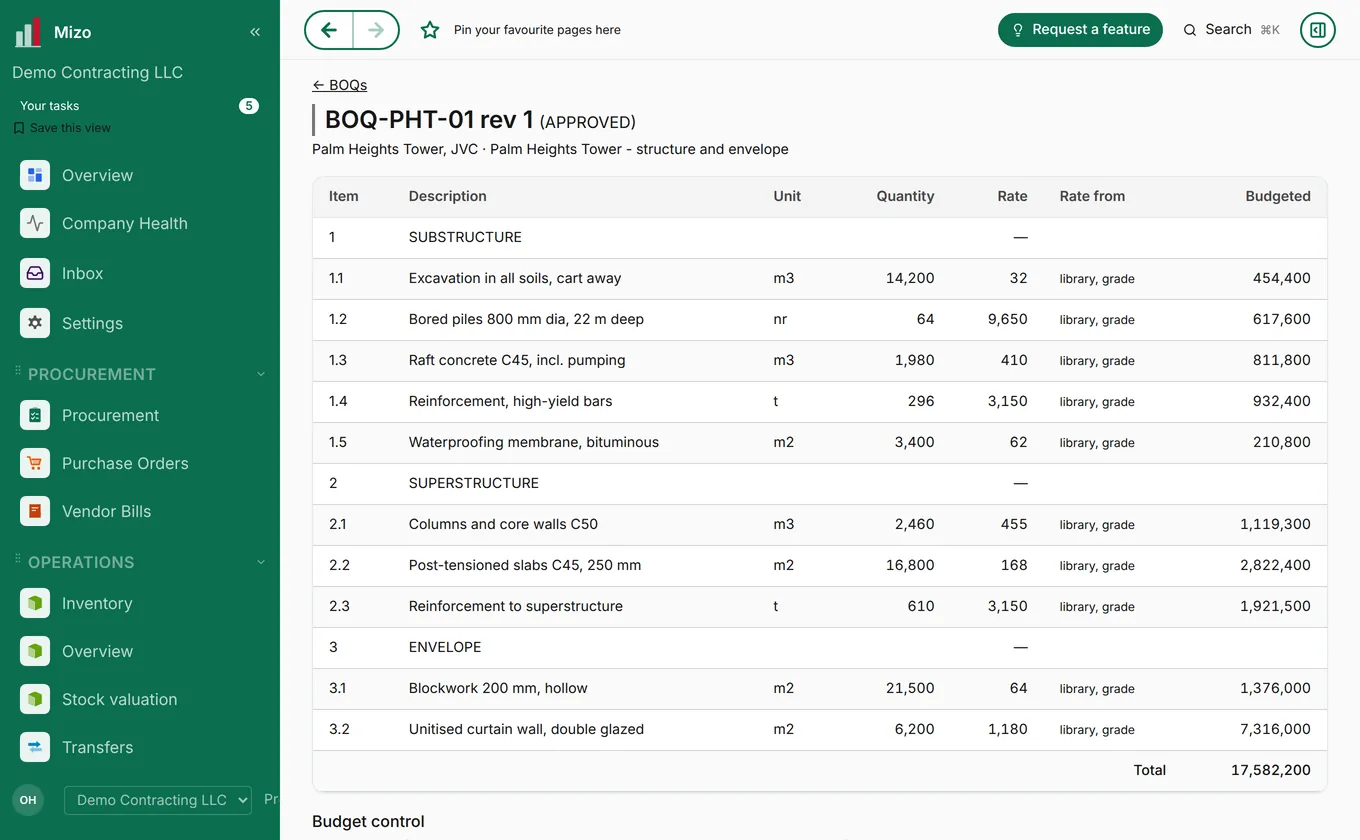
Design requests, priced bills of quantities and a price library. See our design house and the sample deliverables.
Helpdesk, events and more
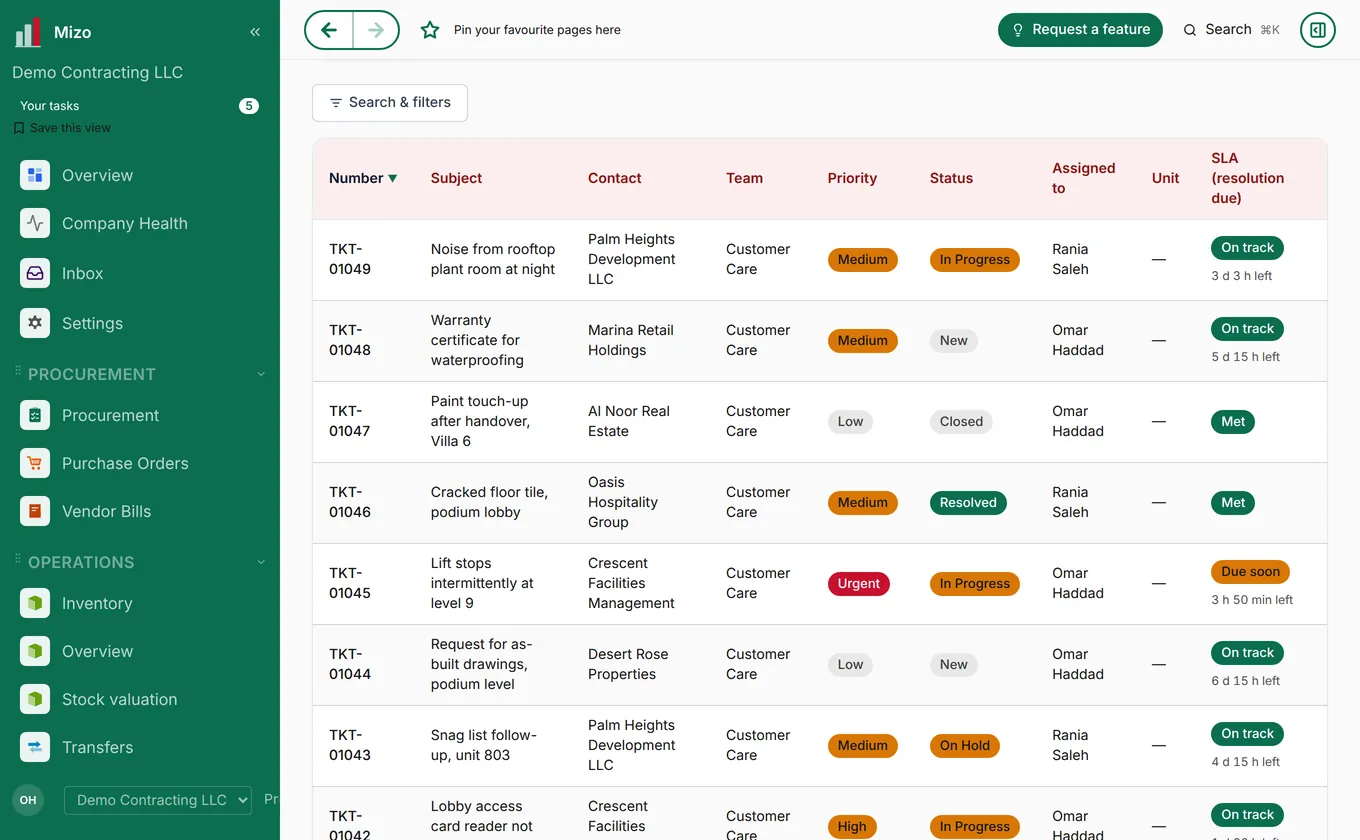
Helpdesk tickets with service levels and a two-way WhatsApp inbox; events with guest lists and seating; plus manufacturing, point of sale, facility management, contracts, document control, marketing and other modules. The full list is on Product.
8. Users and settings
- Add a user: Settings → Users, click New, enter their name and e-mail and pick what they can do. They get an e-mail invitation to set their password. You can resend the invitation or send a password reset from the same screen.
- Forgot your password? Use "Forgot password" on the sign-in page.
- Several companies: if you work for more than one company in Mizo, switch between them from the company name at the top.
- Your profile: change your name, language and preferences under your profile.
- E-mail and WhatsApp: connect your mailbox, set e-mail templates and link WhatsApp under Settings.
- Upgrading: when your trial ends, choose a plan under Settings → Upgrade to paid. Plans and prices are on Pricing.
Some menus appear only to administrators, and you only see the modules switched on for your company.
9. Getting help and requesting features
Software support
Help with a feature, a bug or anything not working as it should. Tell us what you clicked and add a screenshot if you can.
support@mizo.coProcurement
Sourcing and purchasing through the Mizo platform and the procurement centre.
procure@mizo.coFeature requests
Inside Mizo, open Request a feature (app.mizo.co/feature-requests/new), describe what you need and send it. Follow it under My requests; you get an e-mail at every step until it is released. Or write to support@mizo.co with "Feature request" in the subject.
Request a featureWhatsApp and general
Quick questions, or anything else about Mizo and the Mizo Group.
WhatsApp +971 55 854 9689 · info@mizo.coEvery centre of competence has its own address too; see Contact and all 20 centres.
10. Common questions
Can I try Mizo before paying?
Yes. The 14-day trial is free, includes every core module plus your industry add-ons, comes with sample data and needs no credit card.
Will I lose my data when the trial ends?
No. Choose a plan under Settings → Upgrade to paid and carry on with everything you entered. If you need more time, write to sales@mizo.co.
I can't see a module or a menu mentioned here.
It may be switched off for your company (Settings → Modules & configuration) or available only to administrators. Ask your administrator, or write to support@mizo.co.
Can Mizo import my data from another system?
Yes. Use the templates in Settings → Download templates, or send your files to support@mizo.co and we will help.
Does Mizo work on my phone?
Yes, in the browser or as an app on iPhone, Android, Mac and Windows. See Get the app.
Something here doesn't match what I see.
We release improvements often, so a screen may have moved on since this manual was updated. Tell us at support@mizo.co and we will help and update the manual.